
A personal AI agent should do the work, not chat about it
A personal AI agent should own your repeated work. Papr Work builds small apps that run on a schedule, use your accounts and remember your goals.
Papr
A personal AI agent should take work off your plate, not add a chat window to it. Most assistants today are good at a conversation. You ask, they answer, and then you copy the answer into the tool where the work actually happens.
Why a chat assistant is not yet a personal AI agent
Think about the work that fills a normal week.
On Monday you pull last week's search numbers. Each morning you check who accepted your LinkedIn invites and write a short note to each one. Before every external call you read up on the person and their company. On Friday you try to turn the week's calls into a few posts.
A chat assistant can help with each of these once, but it cannot do them next week without you. You open the chat again and paste the context again. Then you copy the result into LinkedIn, a doc or a spreadsheet. The assistant forgets the goal between sessions, it has no access to your accounts, and nothing runs when you are not there.
Teams try to close that gap in two ways. Automation tools like Zapier run on a schedule, but you draw every step and every field by hand. Chat agents can reason, but they stop when the tab closes. We wanted the reasoning of the second with the reliability of the first, built for people who never draw a flow chart.
What we built
Papr Work is a desktop app with an agent named Pen inside it. You describe a piece of recurring work in one sentence. Pen builds a small app that does it, runs it on your schedule, and shows you the result on a screen you can open any time.
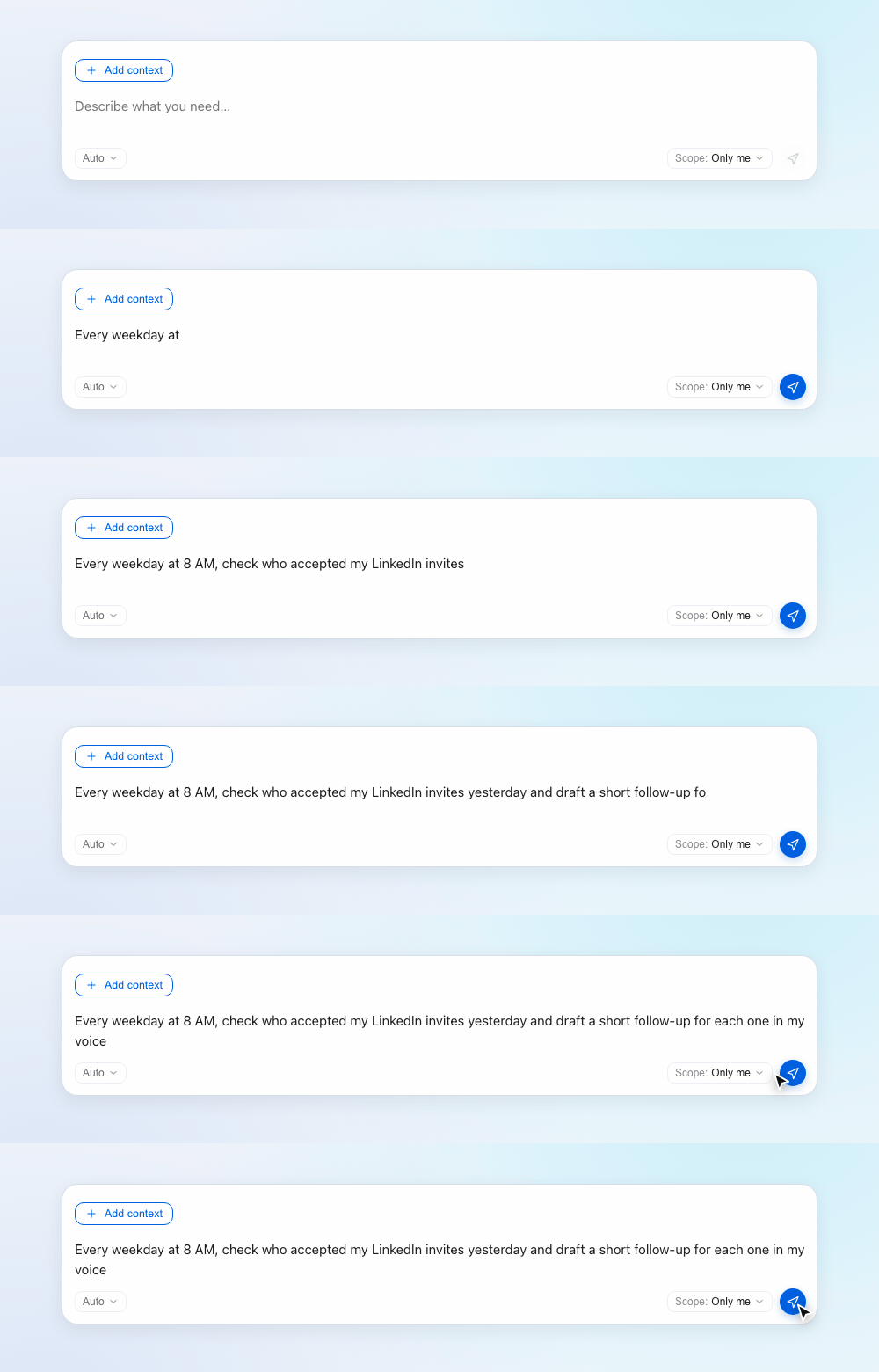
Pen does not answer that request with a paragraph. It answers with an app.
You get a working app, not a reply
When you ask Pen for something that repeats, you get a small app instead of a chat message. A reply is gone after you read it. An app keeps working, with a screen for the results, a schedule and a history of every run.
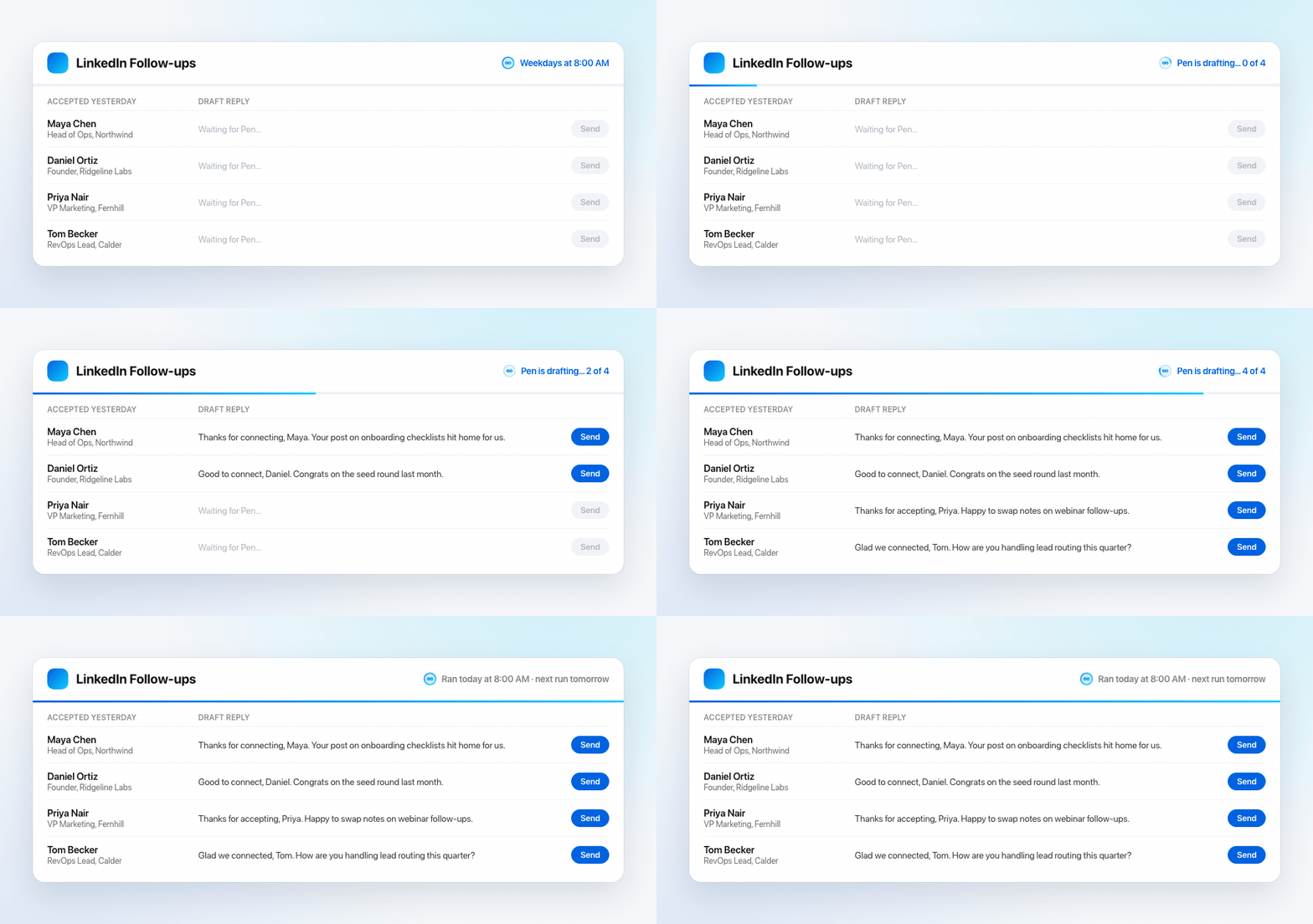
Here is the app Pen built from that one sentence. Each weekday at 8 AM, Pen checks who accepted your invites and fills in a draft reply for each person. You read the drafts over coffee and send the ones you like.
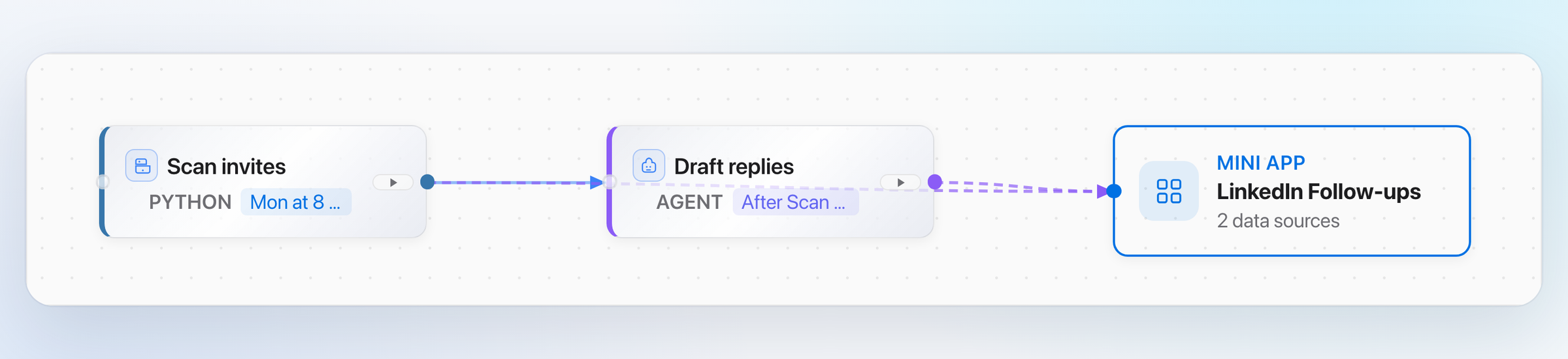
Behind the screen, the app is a short chain of steps. A scheduled check finds yesterday's new connections, then hands the list to an AI step that writes the drafts in your voice.
You can open this view any time to see what runs, when it runs and what each step feeds.
Pen runs the app once before it calls the work done, so you see real output, not a promise. If a draft sounds wrong, you tell Pen in the same chat and it changes the app.
There is a cost. Building an app takes a few minutes, where a chat reply takes seconds. We accept that because the second, third and fiftieth run need nothing from you.
Your accounts stay yours
A personal AI agent is only as useful as what it can reach. Your work lives in LinkedIn, Google Search Console, your calendar and your notes. So Pen needs access, and access is where most agents ask for too much.
We chose two narrow paths.
For sites you log in to, such as LinkedIn, Papr Work opens a real Chrome window. You sign in there yourself, with your passkey or two-factor code. For tools with an official connection, such as Notion or Linear, you approve access in your browser with one click. API keys stay in your computer's keychain, and Papr Work hands a key to a task only when that task asks for it.
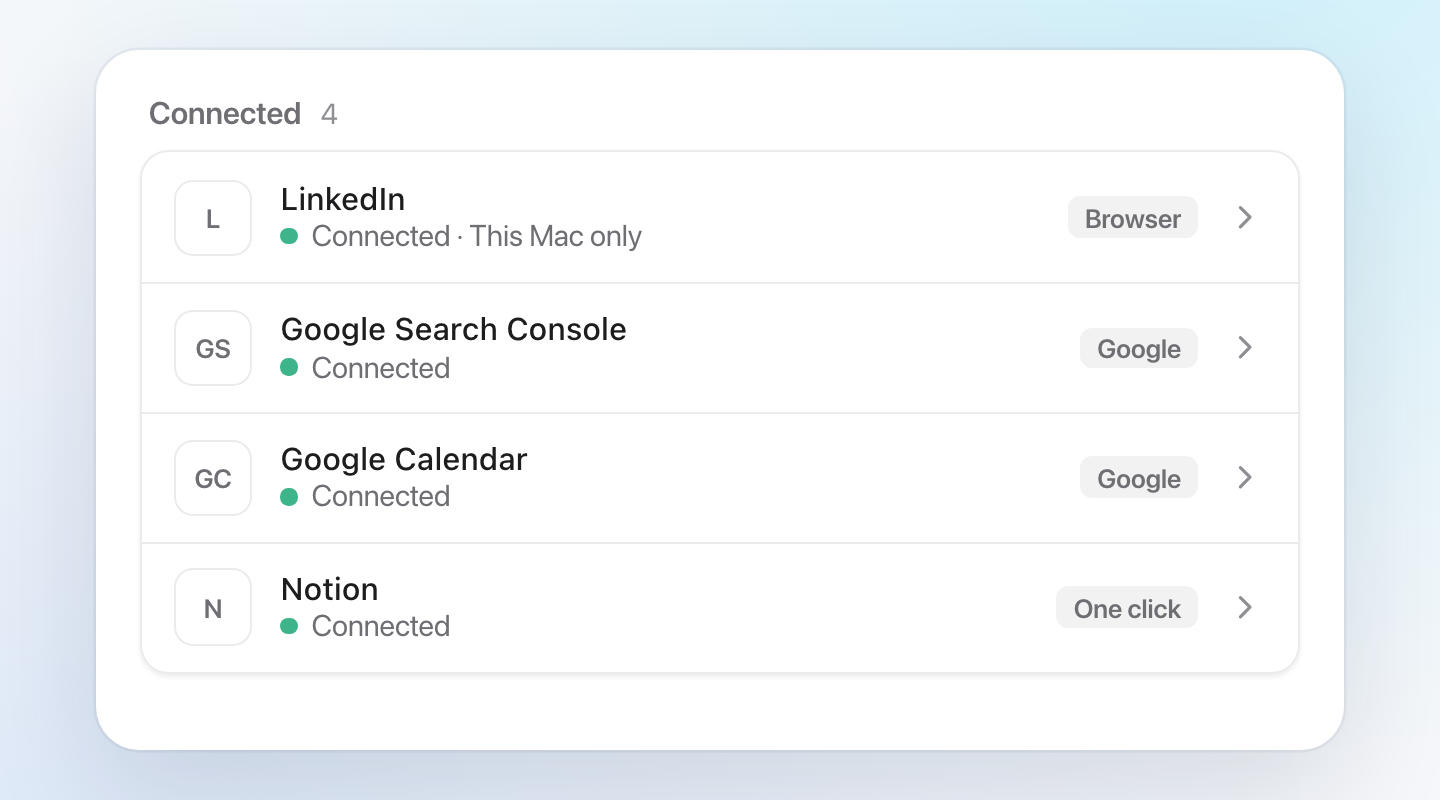
The trade-off is a small amount of setup the first time a task needs an account. We think that is the right cost. You see each connection in one list, and you can remove any of them.
Each task gets its own small app
We could have built one assistant that tries to do everything. Instead, each piece of work becomes its own app with one job. Here are four we use ourselves:
LinkedIn follow-ups. Each weekday, it drafts a note for every person who accepted an invite, and never for someone who has not.
Weekly SEO report. Every Monday, it shows clicks, impressions and top queries from Search Console against the week before.
Meeting prep. Each evening, it writes a one-page brief on every external meeting tomorrow.
Content drafts. On Friday, it turns the week's calls and notes into three post ideas for you to edit.
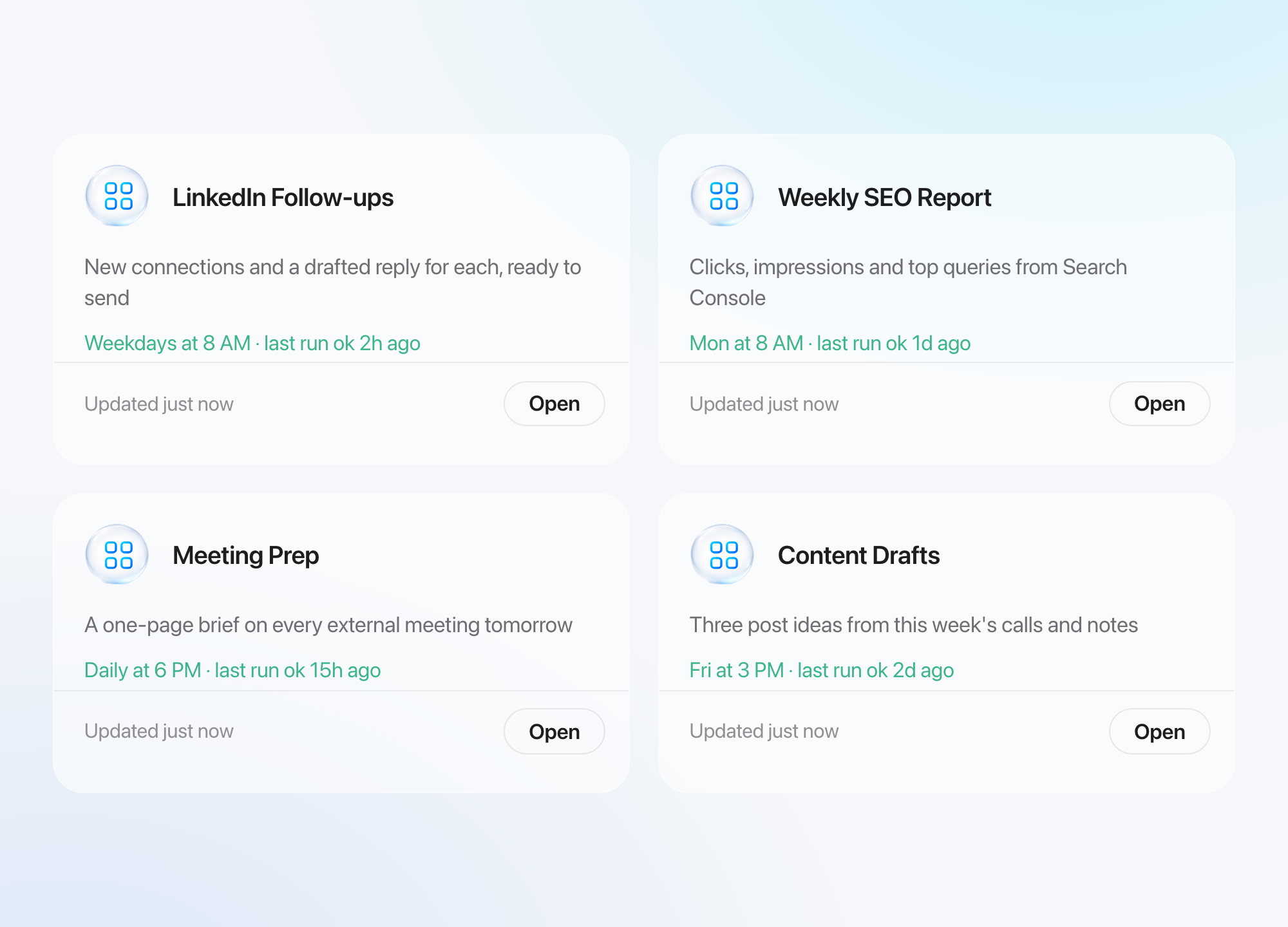
Each card shows the schedule and the last run, so you can see at a glance that the work happened.
The trade-off is that you have more than one thing to look at. We think four clear tools beat one assistant that you have to question to learn what it did.
You stop repeating yourself
An agent that forgets your goals between sessions makes you repeat yourself. So Papr Work keeps a memory of your company: the people, the projects, the decisions in past chats. Pen reads that memory before it builds, so a new app starts with your context instead of a blank page.
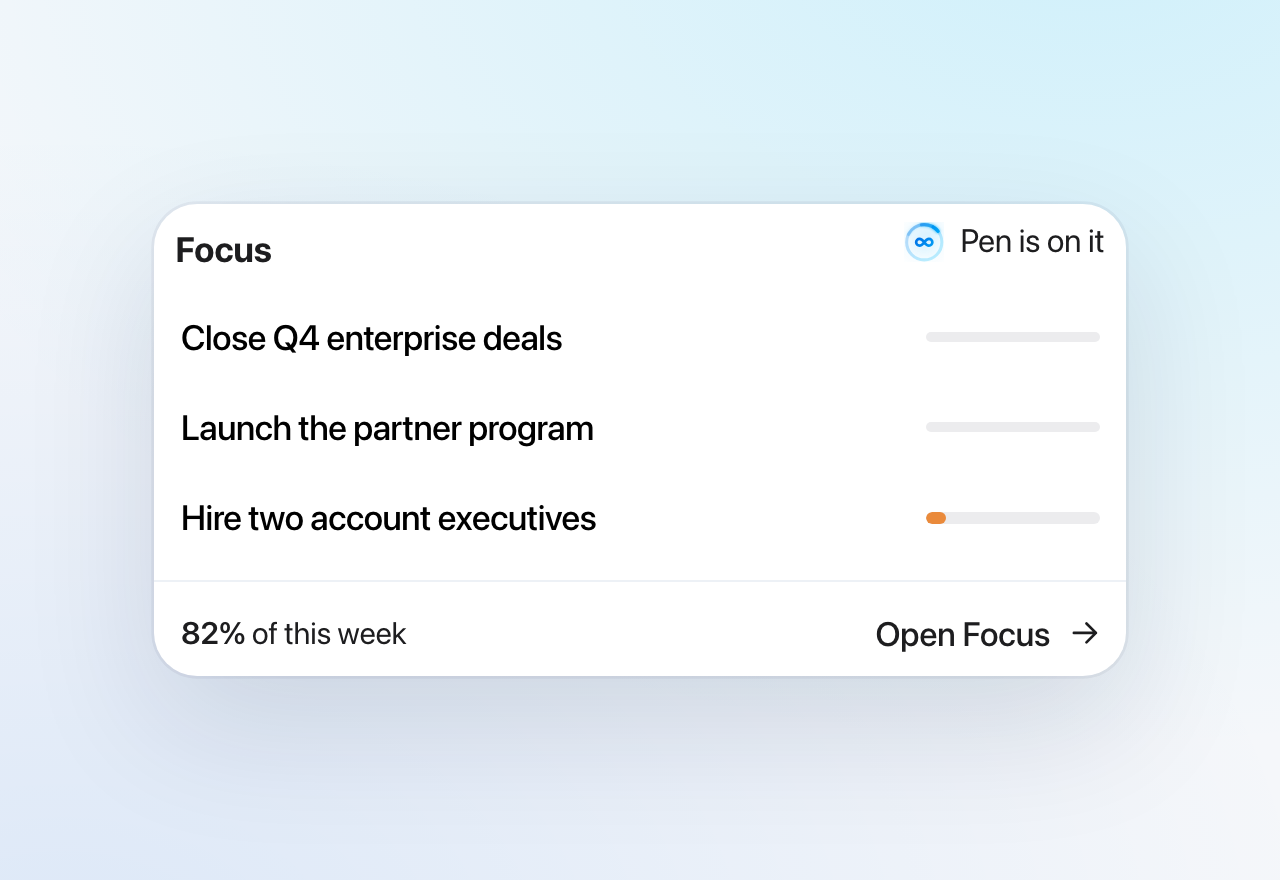
Papr Work also keeps your three current goals in Focus. The card shows each goal and how many hours went to it this week. Pen uses those goals to decide what matters.
Memory has a cost too. A wrong fact can follow you into the next build. So you can read what Papr Work remembers about a person or a project, and you can correct it in a chat.
What you can do now
- Describe a recurring task in one sentence, and Pen builds an app that does it on a schedule.
- Connect LinkedIn, Google and other tools without handing over a password.
- Run several small apps, each with its own schedule, screen and run history.
- Set your three goals in Focus, so Pen works toward what matters this week.
What we learned
The gap between a chat assistant and a personal AI agent is not intelligence. It is ownership: a schedule, access to your accounts, a place for the result and a memory of the goal. When the agent owns those four things, you stop prompting and start reviewing.
Papr Work runs on Mac, Windows and Linux. Read more on the Papr Work page.
Questions
What is a personal AI agent?
A personal AI agent is AI software that does recurring work for one person, not only answers questions. In Papr Work, the agent Pen builds small apps that run on a schedule and use the accounts you connect.
What are good personal AI agent use cases?
The best use cases repeat on a schedule and end in a clear result. Four examples: LinkedIn follow-ups after someone accepts an invite, a weekly SEO report, a brief before each meeting and weekly content drafts.
How is a personal AI agent different from ChatGPT?
A chat assistant answers when you ask and forgets the task afterwards. A personal AI agent like Pen builds an app that keeps the task, runs it on a schedule and shows the result without a new prompt.
Can I build my own personal AI agent without code?
Yes. In Papr Work you describe the task in one sentence. Pen builds the app, connects the accounts it needs with your approval, and sets the schedule.
Is it safe to give a personal AI agent my accounts?
In Papr Work you sign in to sites yourself in a real Chrome window, and API keys stay in your computer's keychain. Each task gets a key only when it asks for it, and you can remove any connection.