

An AI assistant with memory should remember your work
Most AI assistants with memory save a few facts about you. Papr Work remembers your decisions, documents and app data, and lets you choose who shares it.
Papr
An AI assistant with memory should know what your team agreed last month, not only that you prefer short answers. Most assistants today remember a few lines about you. Your work needs more than that, because the facts that matter are spread across calls, documents and the tools your team uses every day.
Why an AI assistant with memory still forgets your work
Think about a renewal. Last month your account owner agreed on a price with a customer on a call, and a week later a revised proposal went out by email. This week the customer asked to change how they pay. Today you ask your assistant to draft the renewal email.
A typical chat assistant with memory knows your name, your job title and that you like bullet points. It does not know the price you agreed, because that lived in a different chat, and it never heard about the billing change. So you paste all of it into the prompt, and you do it again next time.
Teams have shared documents and spreadsheets for twenty years, and nobody pastes a spreadsheet into every email they write, because the file is already there for everyone. Chat assistants work the other way around. Each conversation starts almost empty, and the saved memory is a short profile that you cannot read in full or share with a teammate. That is personal memory, and most work is not personal.
What we built
Papr Work is a desktop app with an agent named Pen inside it, built on Papr Memory, the retrieval system that scored 96.0% on the LongMemEval benchmark for long-term memory. Pen remembers what happens in your chats, the documents you add and the data your apps collect. Everything it keeps lives in one place you can read: the Memory tab.
A daily log of what happened
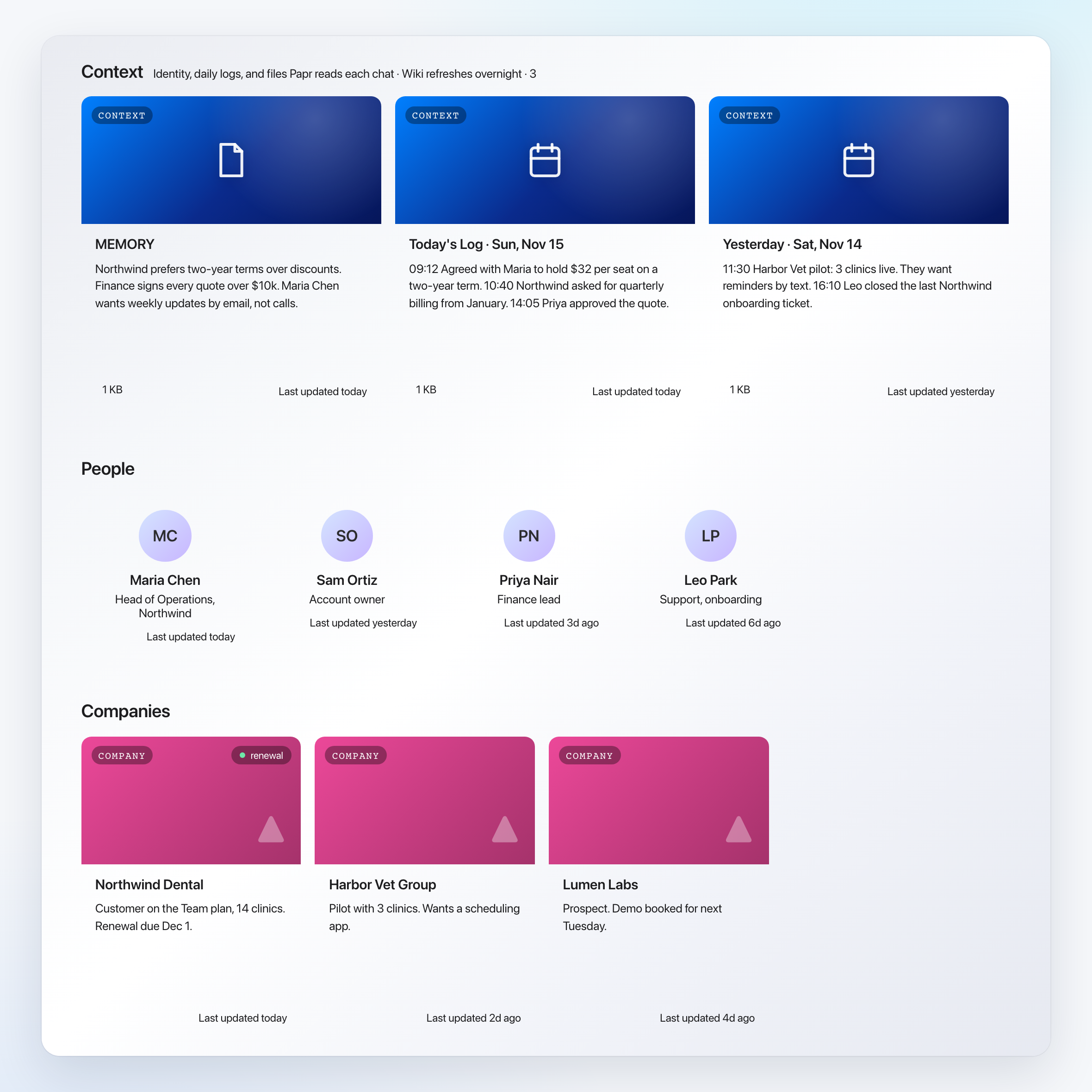
The top row of the Memory tab is your context. It holds who you are and what you work toward, a short list of standing facts, and a log for each day. While you work, Pen adds the decisions, preferences and milestones of the day to that day's log as short timestamped lines. The next morning, a new chat starts with today's and yesterday's logs already loaded, so Pen picks up where you stopped.
The log is plain text, so you can read it in a few seconds and see exactly what Pen took away from a busy day. If a line is wrong, you can correct it.
A page for every person, company, project and app
Each evening, Papr Work reads the day's chats and logs and sorts what it learned by subject. Every person, company, project and app you work with gets its own page. The Memory tab shows those pages in rows, most recently updated first, so you never file anything yourself.
A page has the same parts every time: key details, decisions and open items. A decision records who made it and where it came from, such as a call or a chat.
When a new chat mentions Northwind Dental, Pen can pull up that page first. It knows the plan, the champion and the price you agreed.
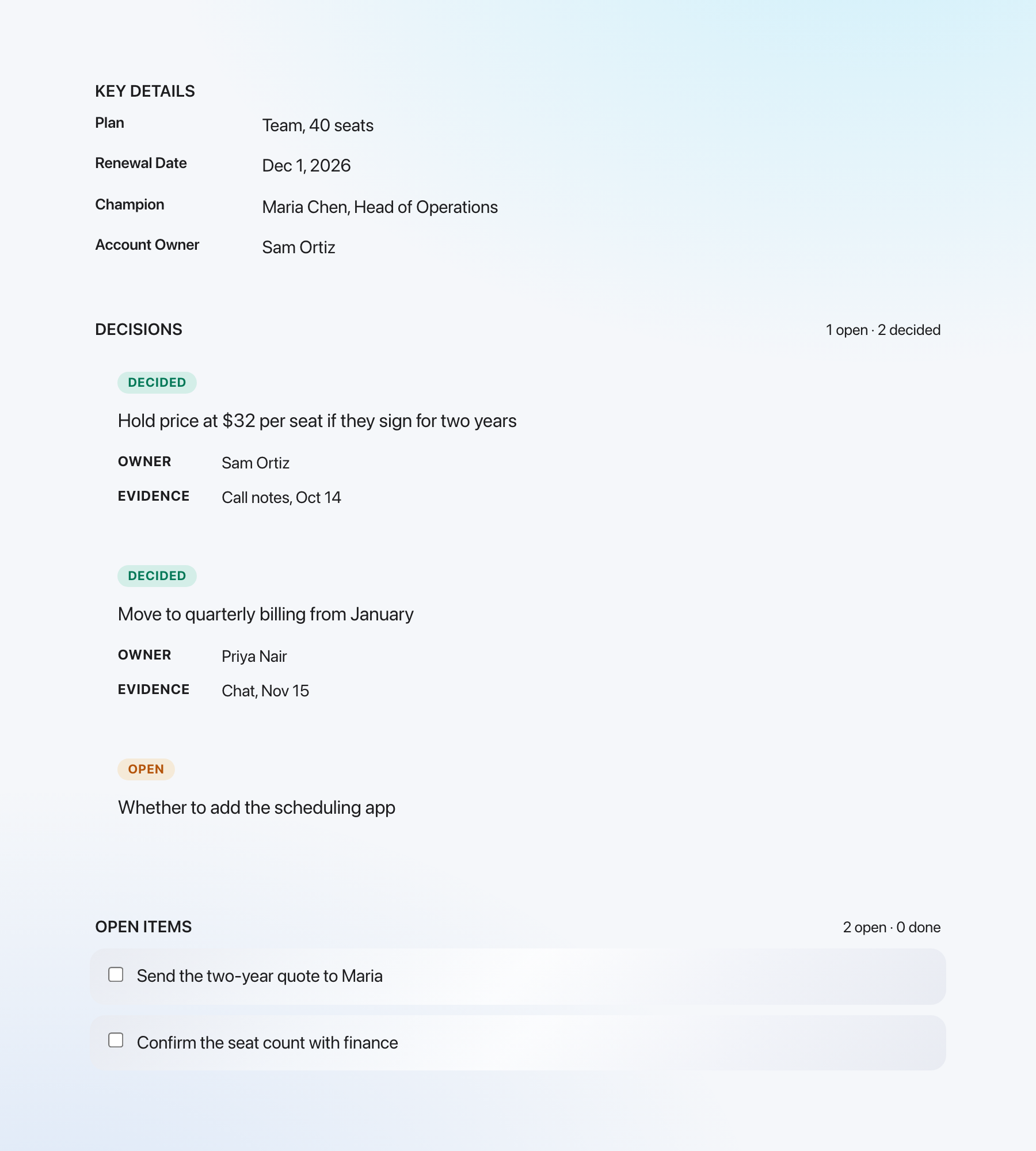
The cost of this design is a short delay. A decision you make in a morning chat is in the daily log right away, but it reaches its page only after the evening update.
Search your memory
You can search memory the same way Pen does. Press ⌘K on the Memory tab and type a name. The results list every page that matches, from the customer and the project to the people and the decisions behind them.
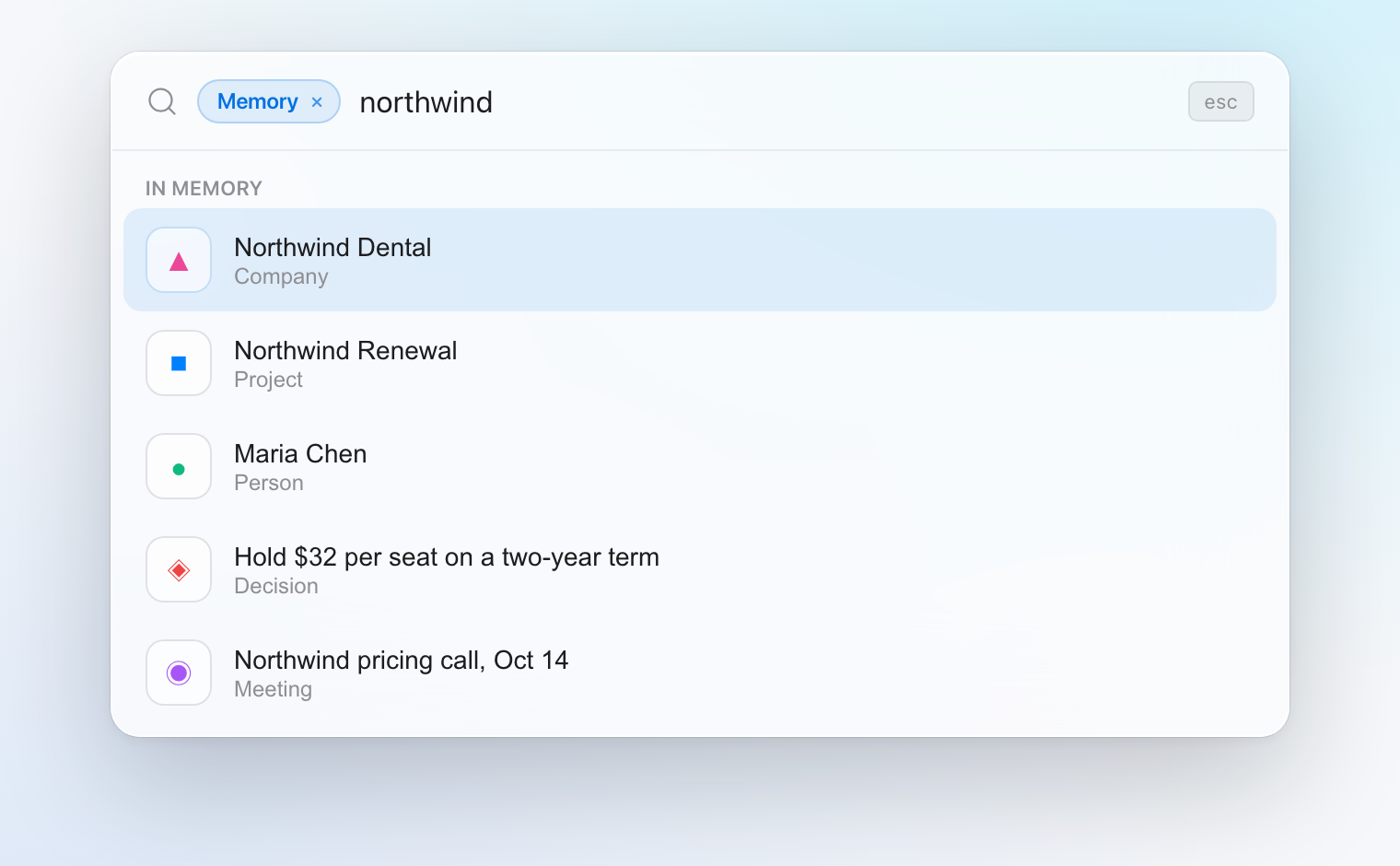
Pen searches the same memory before it answers. When you ask for the Northwind renewal email, it can look up the customer, the pricing decision and the latest billing terms before it writes a word. You do not paste a summary.
Tell Pen what to remember
Adding a memory takes one sentence. Tell Pen "Remember that Northwind moves to quarterly billing from January." Pen saves the fact, and that evening it goes onto the Northwind page next to the pricing decision. Each step shows in the chat, so you always know what Pen stored.
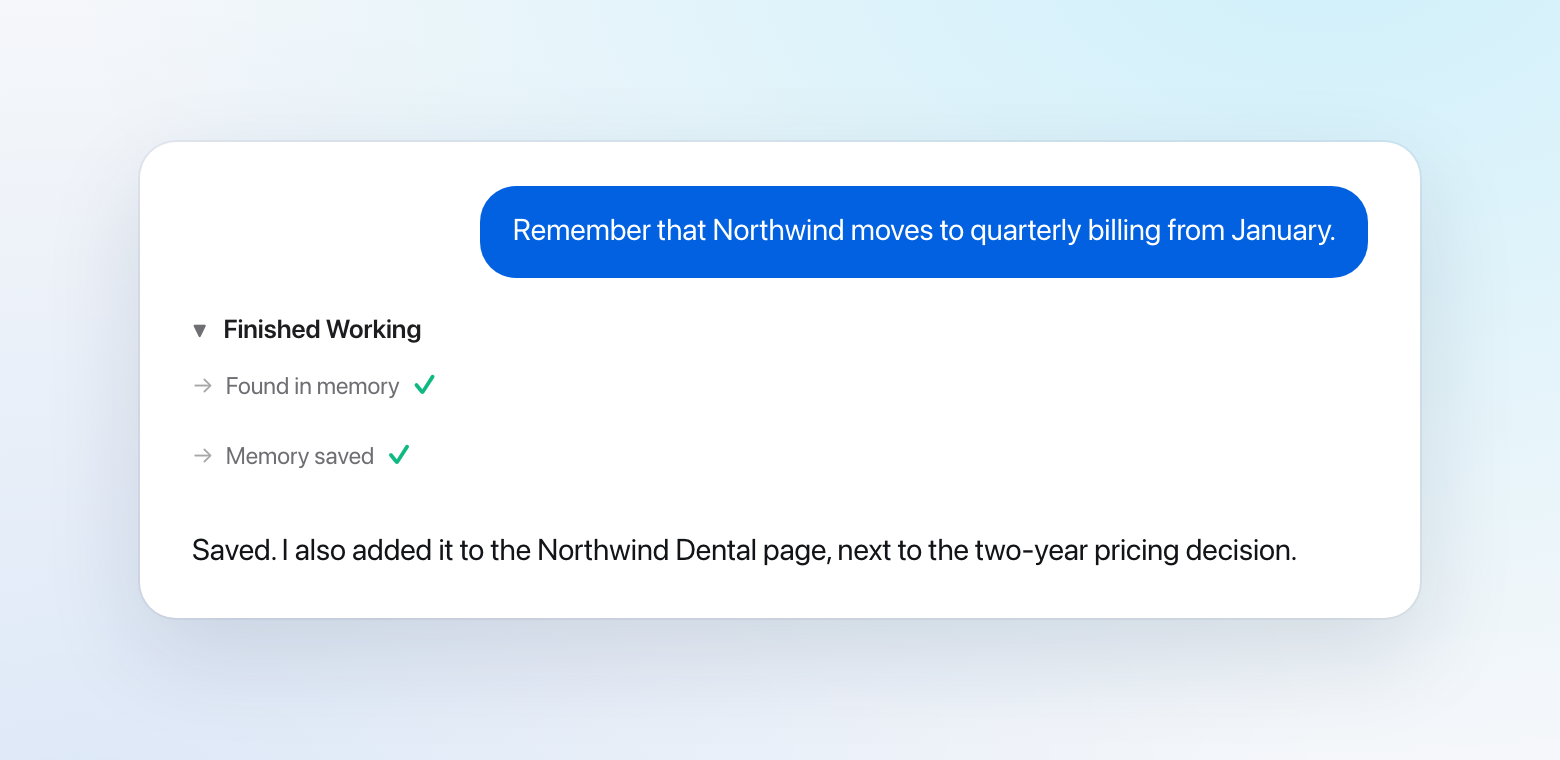
The same works for corrections. If a page says something that is no longer true, tell Pen the new fact in a chat and it updates the memory.
Focus: memory that points at what matters this week
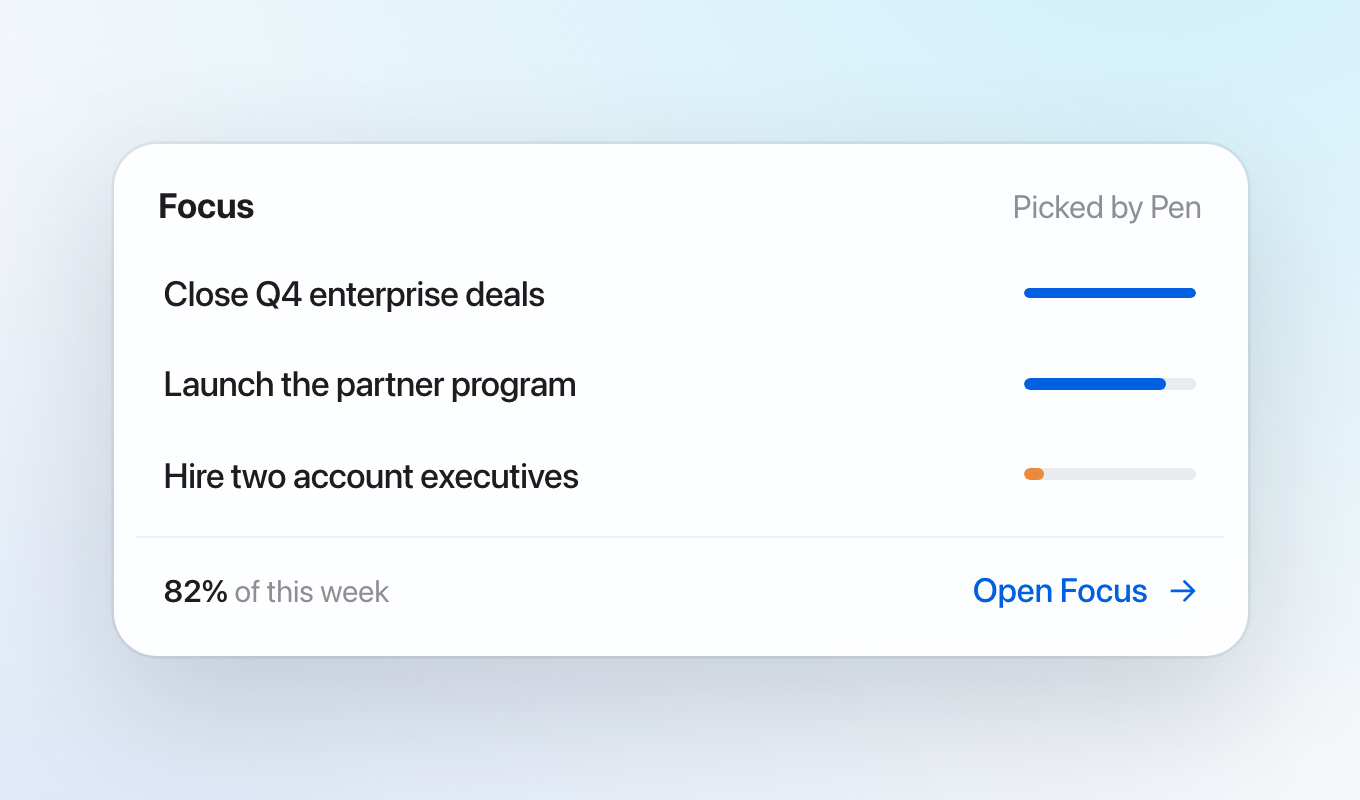
Memory also feeds Focus. Pen reads your goals, your recent chats and your daily logs, and picks the three goals that matter most right now. Next to each goal, Focus shows how many hours this week went to it, so you can see whether your time matches your priorities. You can keep Pen's three or change them at any time.
Share memory with your team, or keep it private
Work memory belongs to more than one person. If only you know that the customer agreed to $32 per seat, your teammate who takes the next call has to ask you. But some chats are private, and they should stay that way.
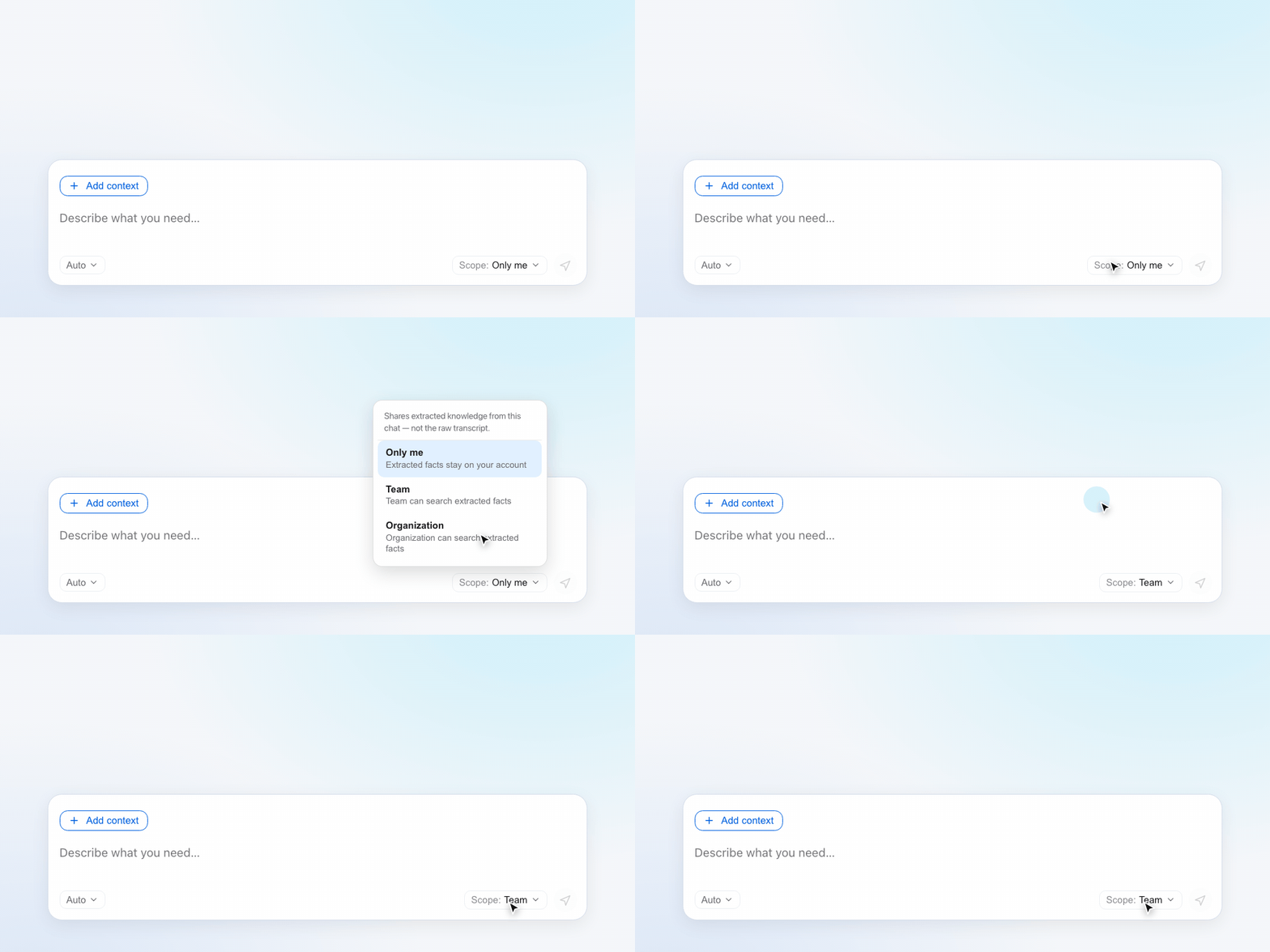
So each chat has a memory scope: Only me, Team or Organization. The scope controls who can search the facts that come out of that chat. Teammates never see the chat itself, only what Pen saved from it, and new chats start as private.
What you can do now
- Read your daily logs and a page for each person, company, project and app in the Memory tab.
- Search your memory with ⌘K and jump to the page you need.
- Tell Pen what to remember in one sentence, or correct a fact the same way.
- Share the memories from a chat with your team or your organization, or keep them private.
What we learned
The gap between a chat assistant and a useful AI assistant with memory is not a bigger profile. It is memory of the work, a place where you can read it, and a way to share it. When those three are in place, a new chat stops being a blank page.
Papr Work runs on Mac, Windows and Linux. Read more on the Papr Work page.
Questions
What is an AI assistant with memory?
It is an AI assistant that keeps information between conversations and uses it in later ones. In Papr Work, Pen remembers past chats, documents and app data. It keeps all of it in a Memory tab you can read.
Which AI assistant has the best long-term memory?
On LongMemEval, a public benchmark for long-term chat memory, Papr Memory answered 480 of 500 questions correctly (96.0%). Papr Work uses Papr Memory for everything Pen remembers.
How do I add something to my AI assistant's memory?
Tell Pen in a chat, for example "Remember that Northwind moves to quarterly billing from January." Pen saves the fact, and the evening update adds it to the right page.
Can I see and search what the assistant remembers?
Yes. The Memory tab shows your daily logs and a page for every person, company, project and app. Press ⌘K on the Memory tab to search it by name.
Can my team share an AI assistant's memory?
Yes. In Papr Work each chat has a memory scope of Only me, Team or Organization. Teammates can search the facts from shared chats, but they never see the chat itself.