

I Built a Papr Work App to Manage Childcare for Seattle Kraken Game Nights. It Took One Conversation.
Not every app needs a business case. Some just need to get you to puck drop.
Corey BadcockOctober 15, 2026
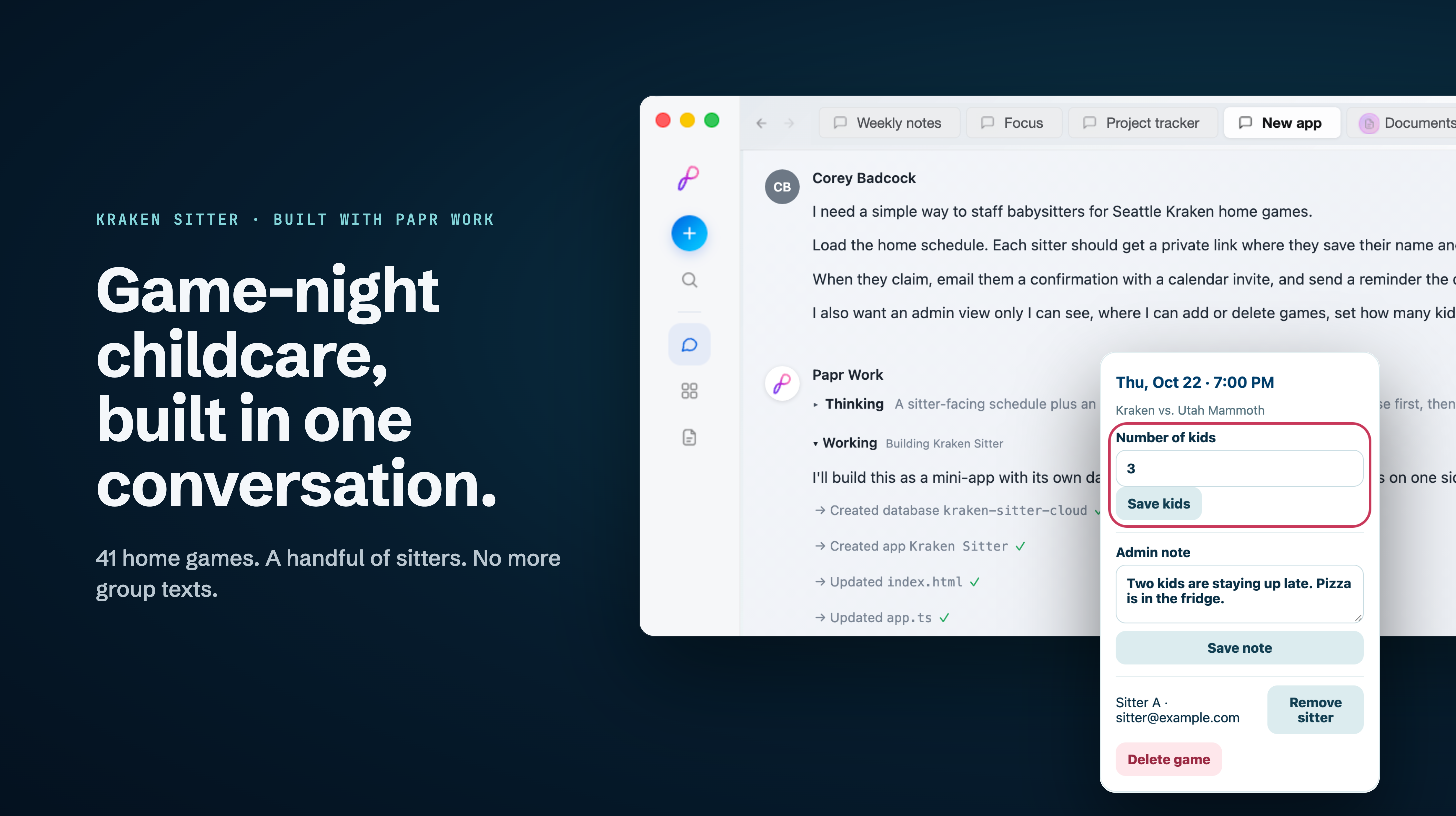
My family has a very specific problem. It comes up 41 times a season, it always involves the Seattle Kraken, and it usually ends with me staring at a group text an hour before the game, wondering if the babysitter remembered. It’s a waste of my time, and it falls into the category of work I hate doing.
So I did what any hockey parent with an AI workspace would do: I built an app for it.
Quick heads-up: this isn’t a product launch. Kraken Sitter is a personal app I built for my family, and it isn’t available to download. I’m sharing it because it shows how easy it to build small software for the things that bug you, at work or at home.
A Different Way to Make Software
Papr Work is a platform for personalizing the small software that runs your work. You describe what you need in plain language, and an AI agent builds it. What comes back isn’t a chat transcript or a to-do list. It’s a working app, with its own screens, its own database, and background jobs that run on a schedule without you.
The pattern is almost embarrassingly simple:
Notice a recurring workflow. Anything you’ve done by hand three or four times.
Describe it the way you’d explain it to a smart friend. Who’s involved, what they need to see, and what you need to control.
Let the agent build it, then refine it by asking for changes.
Publish it and send a link to the people who need it.
I use Papr Work all the time for my business. I run outreach through the LinkedIn Outreach community app, which handles multi-step campaigns and queues replies for my approval. And I’ve built my own apps too: an email studio for campaigns and delivery stats, and a deck builder for pitch slides. Each one started as something I was doing by hand and was tired of doing.
But my favorite apps are the small, personal ones: problems no off-the-shelf product would ever bother to solve. Which brings me to the Kraken Sitter app. It’s an app to help manage my personal life, but the requirements are the same: stop being the glue between workflows, and automate away grunt work that I hate doing.
The Problem: Babysitters and Puck Drop
We have Seattle Kraken games on the calendar all season, and a night at the arena means finding a sitter. There are 41 home games and a handful of sitters I trust. Every fall, I’d sit down with the schedule and a text thread and start the dance.
I’d paste the dates into a spreadsheet and text everyone: “Who can do the 14th?” Then I’d wait, lose track of who said yes to what, and hand-write calendar invites so nobody forgot. A typical week meant a dozen back-and-forth texts. And still, at least once a season, someone forgot.
None of it was hard. It was just constant, and it was all on me.
What Kraken Sitter Does
Kraken Sitter replaces that whole loop.
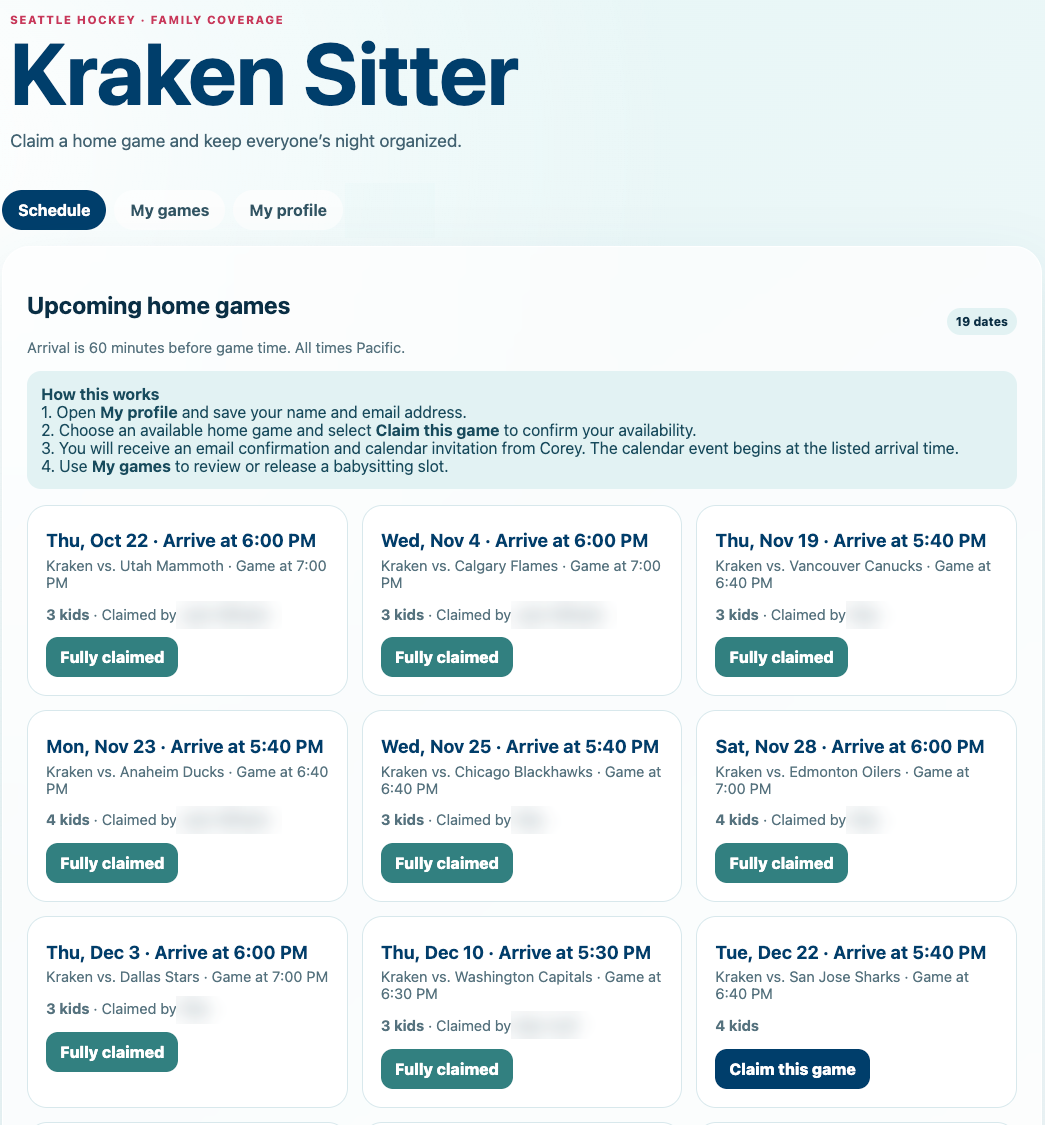
A sitter opens the link, picks a home game, and claims it with one click. That’s the entire job on their end. The moment they claim a game, they see a confirmation on screen and get an email with a calendar invite attached. The day before the game, a small agent sends them a reminder.
I don’t text anyone. I don’t chase anyone. I just show up and enjoy the game.
Key Features
Behind that one click, the app has two sides: a simple portal for my sitters, and a control panel that only I use.
For Sitters
One-time setup. Save your name and email once on a simple profile page.
Game cards. Each home game shows the date, the opponent, when to arrive, how many kids you’ll be watching, and whether someone has already claimed it.
One-click claiming. Pick a game and it’s yours.
Your games. A tab listing the games you’ve claimed, where you can release one if plans change.
For Me
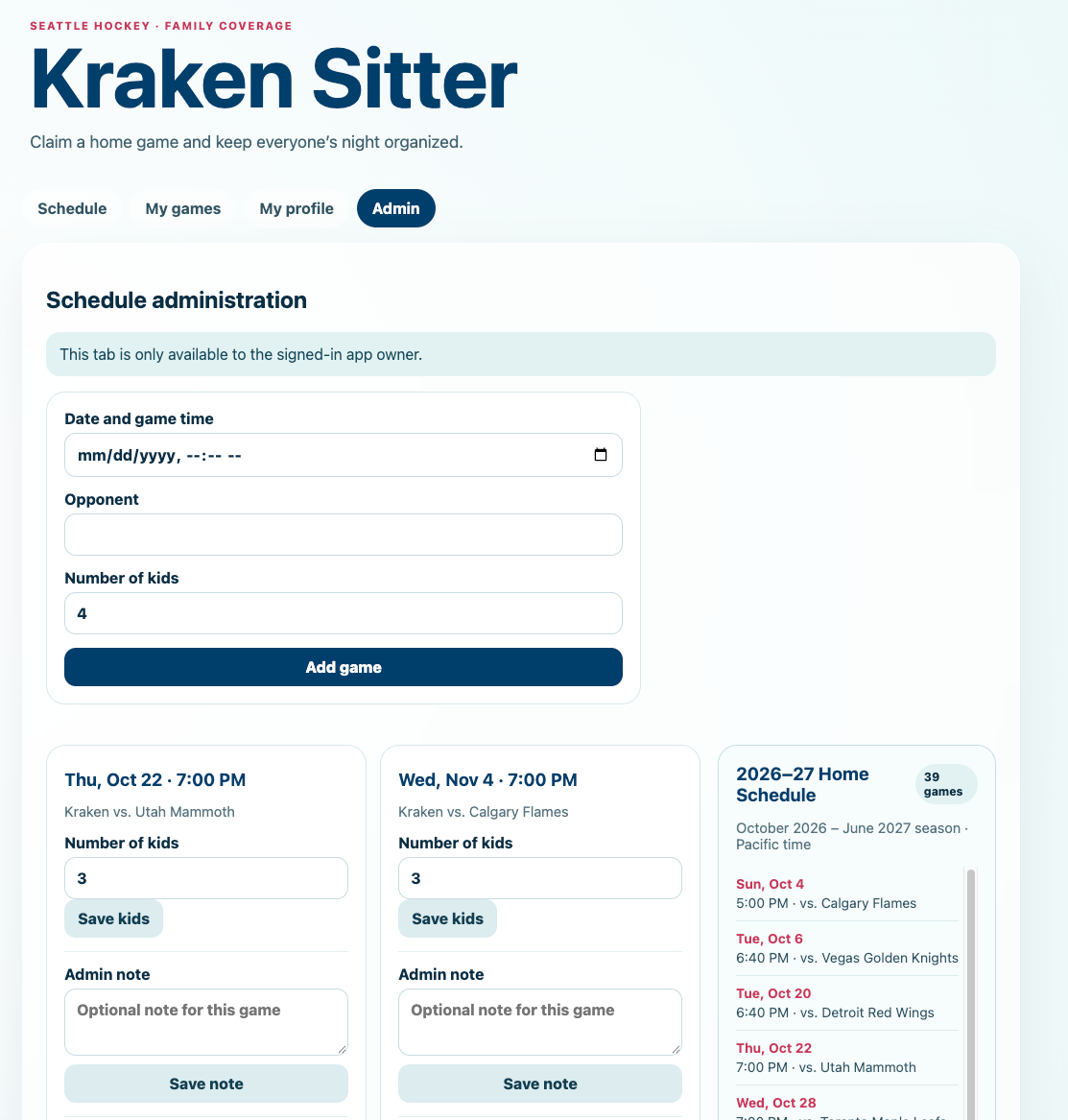
A full season, preloaded. The 2026–27 home schedule was loaded from the start, so I never typed in a game.
Game management. Add or delete games and set the number of kids for each night.
Notes. A note on each game, like bedtime or what’s for dinner, that the sitter sees when they claim it.
Sitter control. Remove a sitter from a game if plans change.
Running in the Background
Sent from my own Gmail. My Gmail account was already connected to Papr Work, so adding email confirmations, calendar invites, and reminders took no extra setup. Sitters get them from me, not from some service they’ve never heard of.
Instant confirmation. An email with a calendar invite attached goes out the moment a game is claimed.
Day-before reminders. A scheduled agent reminds the sitter the day before, so nobody forgets.
How I Built It: I Just Said What I Wanted
All of that came out of a short conversation, and that’s the part that still feels a little unreal. I didn’t open a code editor, sketch screens, or pick a framework. I told the agent what I wanted in four sentences:
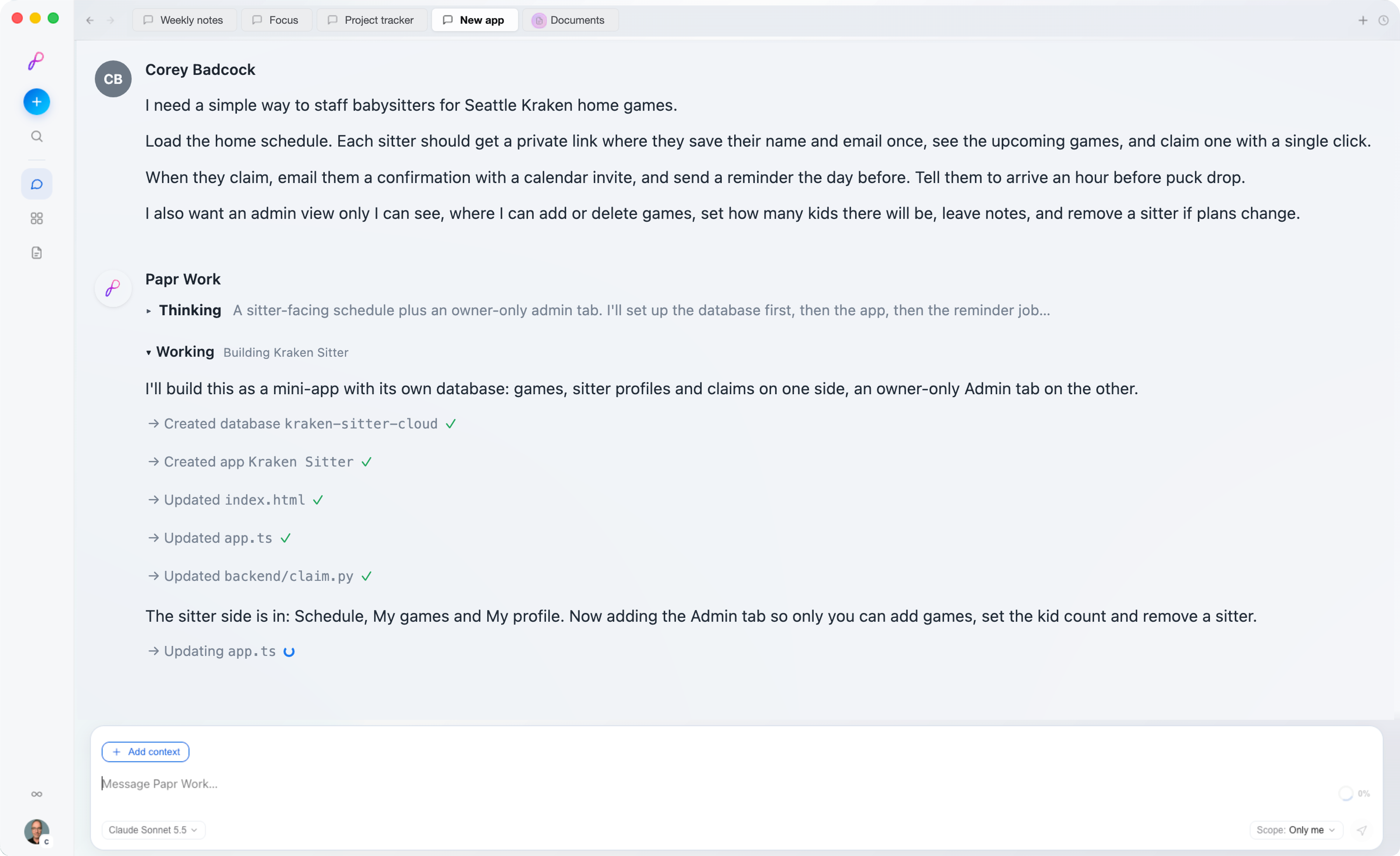
That was it. No wireframes, no spec, no tickets. Less than an hour later, I had a working app.
What came back was both sides at once: the sitter portal, built so simply that nobody needs instructions, and my admin view. The admin view lives inside Papr Work, where I’m signed in as the app’s owner, and never shows up in the version the sitters see.
The first version did the job. But once I started using it, I kept noticing things I wanted. So I went back to the agent and asked, the way you’d talk to a contractor. Each change was a message, not a sprint. The agent built it, tested it, and had it ready to go in minutes, at the same link my sitters already had. Here’s how each one went.
Adding the Kid Count
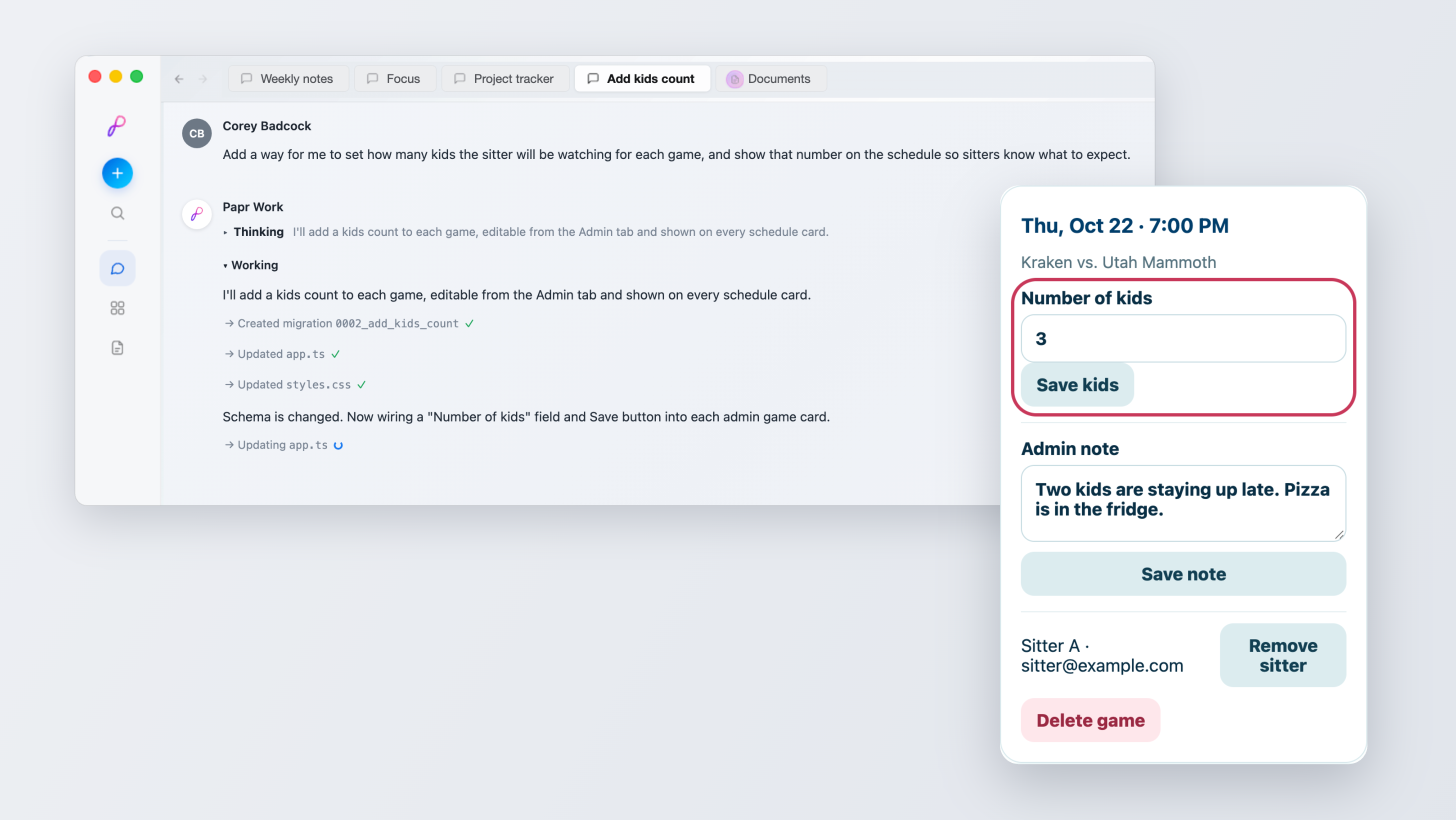
Sitters should know what they’re walking into before they claim a game. I asked the agent for a way to set how many kids a sitter would be watching each night, and to show that number on the schedule. It updated the database, added a Number of kids field and Save button to each game in my admin view, and put the count on every schedule card.
A Note for the Sitter
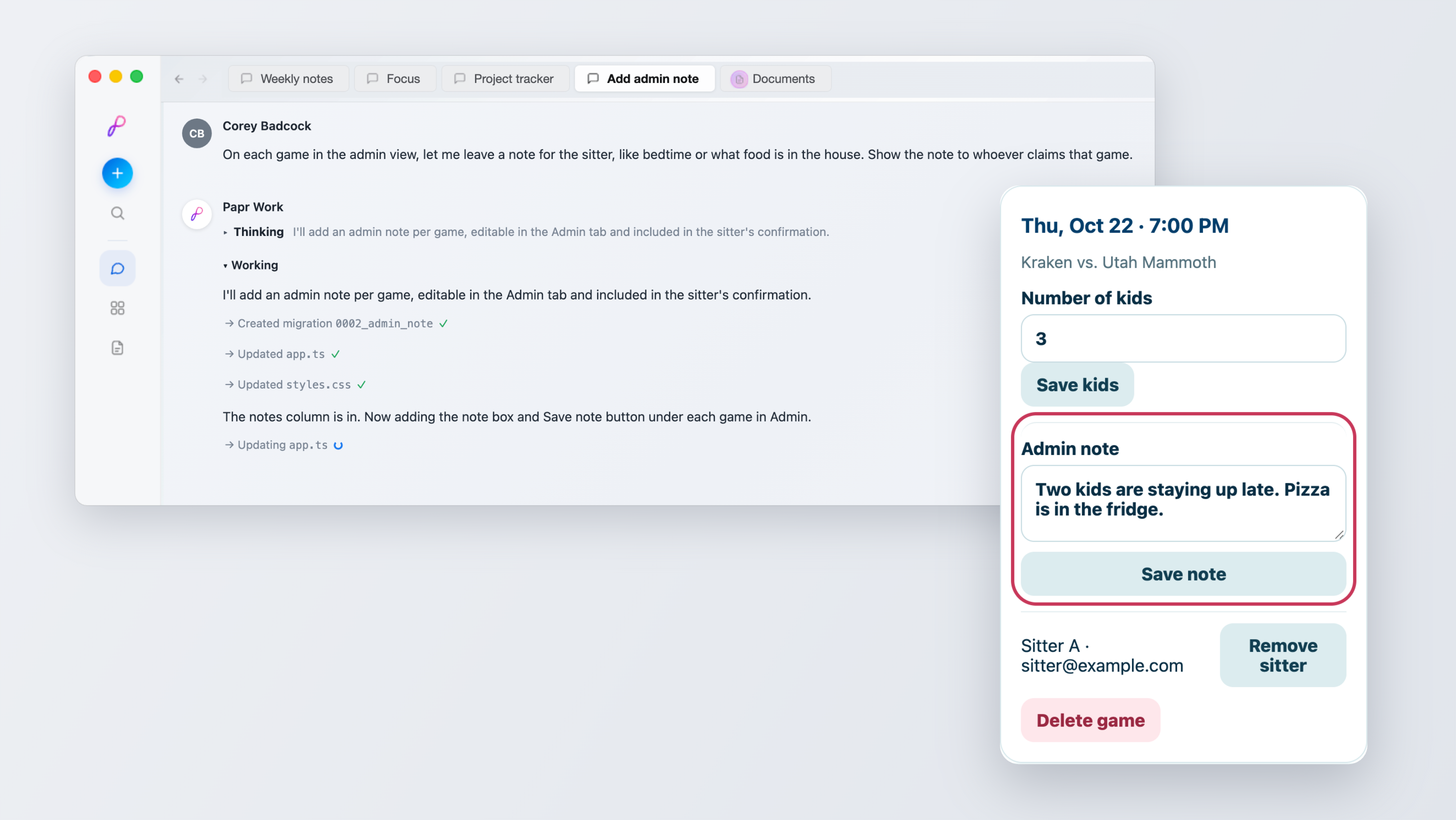
Some nights come with details: a later bedtime, or what’s in the fridge for dinner. I asked for a note on each game that the sitter who claims it would see. The agent added an Admin note box with a Save note button to every game, and the note now goes out with the sitter’s confirmation.
The Whole Season at a Glance
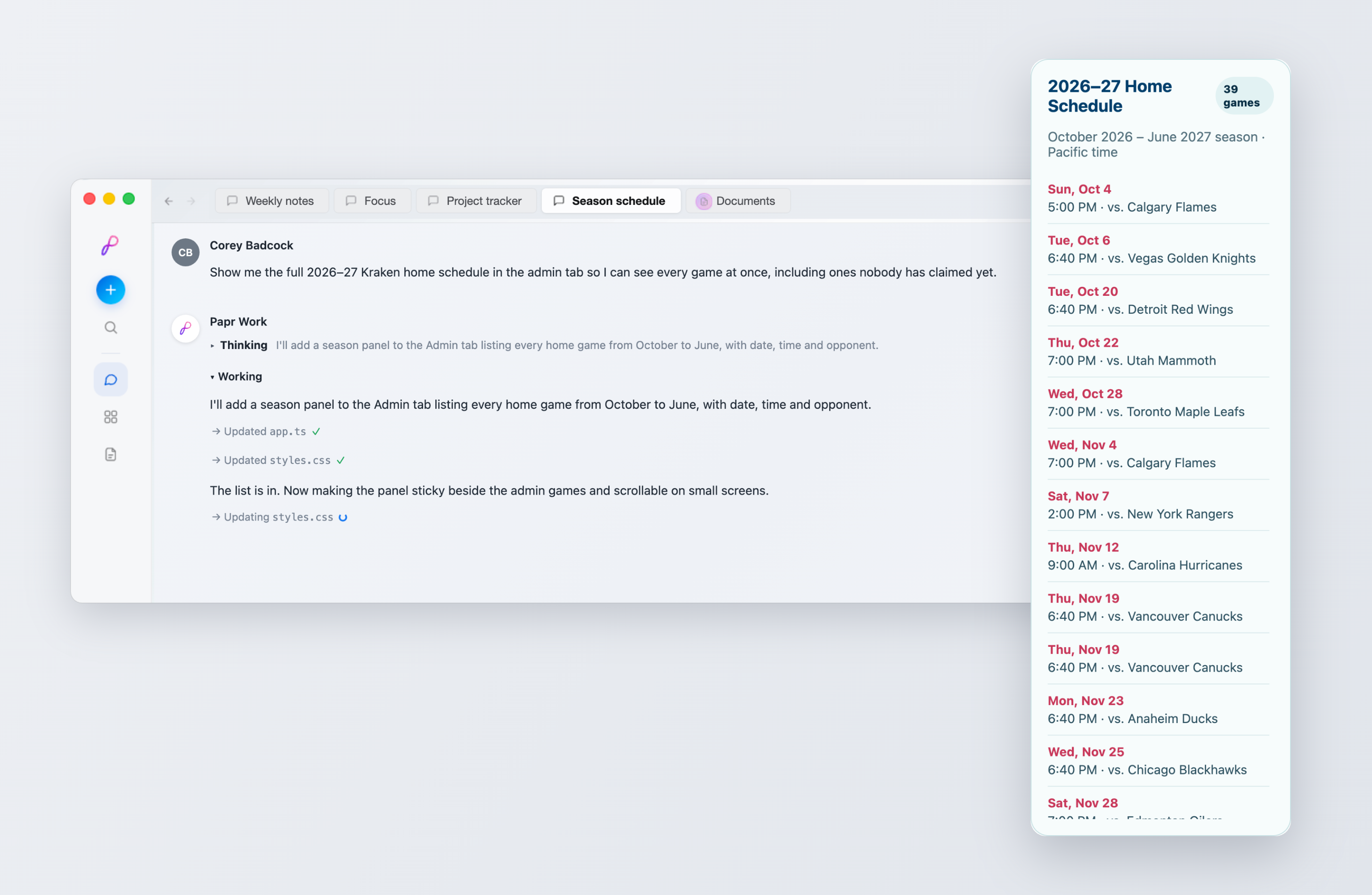
I also wanted to see every home game in one place, including the ones nobody had claimed yet. One prompt later, my admin view had a season panel listing every home game from October to June, with the date, time, and opponent.
That’s what makes it feel like mine: the app keeps growing with how I actually use it, one message at a time.
Putting It in the Sitters’ Hands
The last step was the one I expected to be hard, and it wasn’t.
When the app was ready, I published it to the web straight from Papr Work. It gave me one shareable link, and I sent it to each of my sitters. No app store, no accounts to create, no deployment, and nobody needs IT support to babysit. A sitter taps the link, saves their name and email, and they’re in.
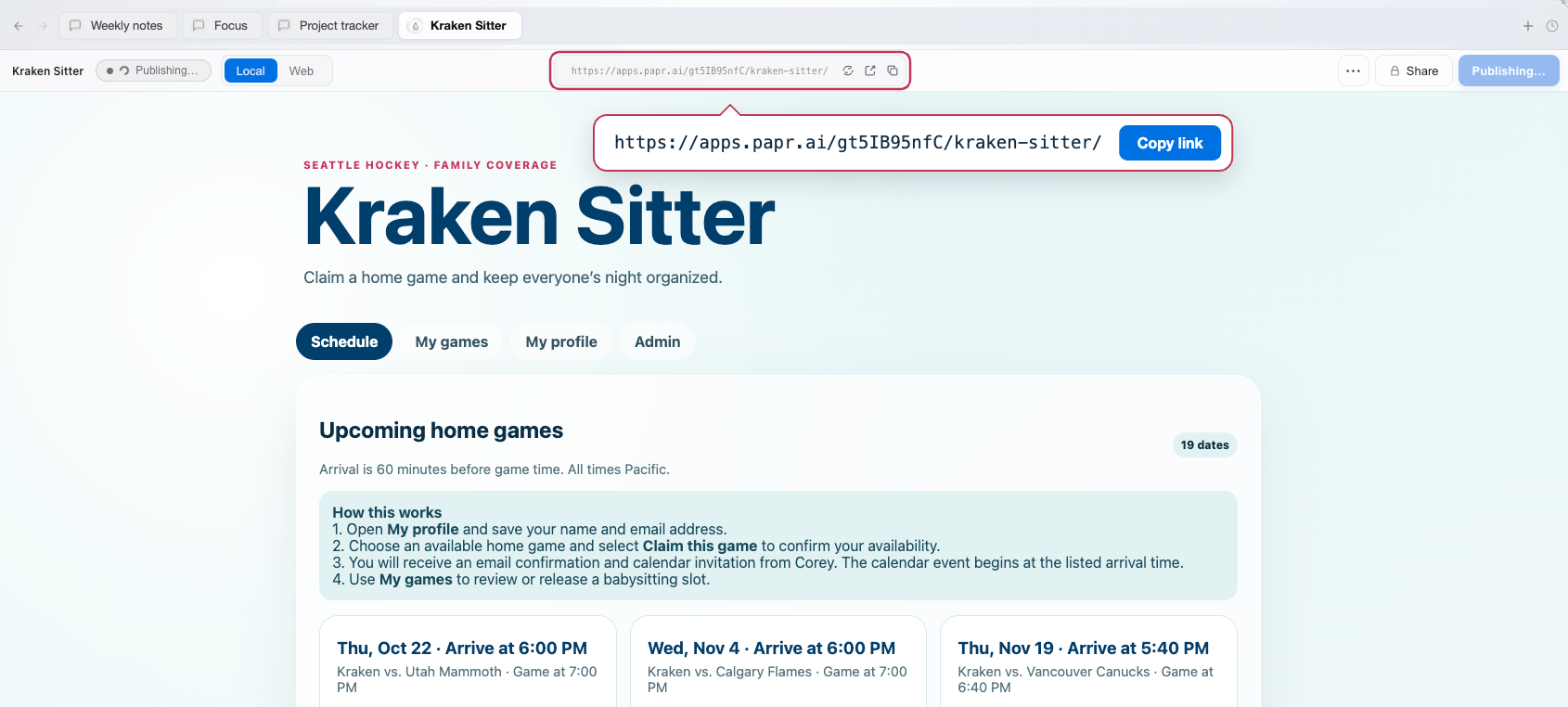
When I think of something I want to change, I tell the agent, and the update shows up at the same link. The sitters never have to install anything.
One conversation away
What strikes me most is how small the gap was between “this is annoying” and “this is solved.” Software used to need a team or a budget. Now it can be something you build in under an hour on a Tuesday night, so game day is about the game.
That’s the idea behind Papr Work. Instead of adding another narrow tool to your stack and becoming the glue between them, you describe how you work and get small software that runs it: apps with their own screens, their own data, and jobs that run on a schedule without you. Start from a community app, adapt it in plain language, or build something new (like Kraken Sitter) from scratch. And because Papr Work keeps context about your business, your apps get more useful the longer you use them.
Most days, I use it for work. Kraken Sitter is just proof that the same approach works for the rest of life too.
So think about the recurring chore that lives in a text thread, a spreadsheet, or your head. Mine was hockey night. Yours might be client onboarding, invoices, or the weekly carpool. Try describing it. You might be one conversation away from an app.