
Why every teammate gets their own copy of a shared app
In Papr Work, every teammate gets their own copy of a shared app. Changes go back to the owner as proposals, and updates keep your own edits.
Papr
A small app often starts with one person. A sales lead builds a pipeline tracker. It works well, so the team starts to use it. Then each person wants something a little different.
The account executive wants a flag on stale deals. The manager wants a weekly total. The owner of the app now has two bad choices. They can say no, or they can add every request to one app until nobody can find anything.
Why building on someone else's app is hard
Teams solve this today in a few ways. Some keep one shared file that everyone edits. That is fast until two people change the same thing, or one change breaks the app for everyone.
Others duplicate the app. Each person gets freedom, but the copies drift apart. A fix in the original never reaches the duplicates, and a good idea in a duplicate never reaches the original.
Most tools also treat sharing as a permission list. But a small app that calls an AI model or a paid service costs money each time it runs. A permission list does not say who pays.
What we built
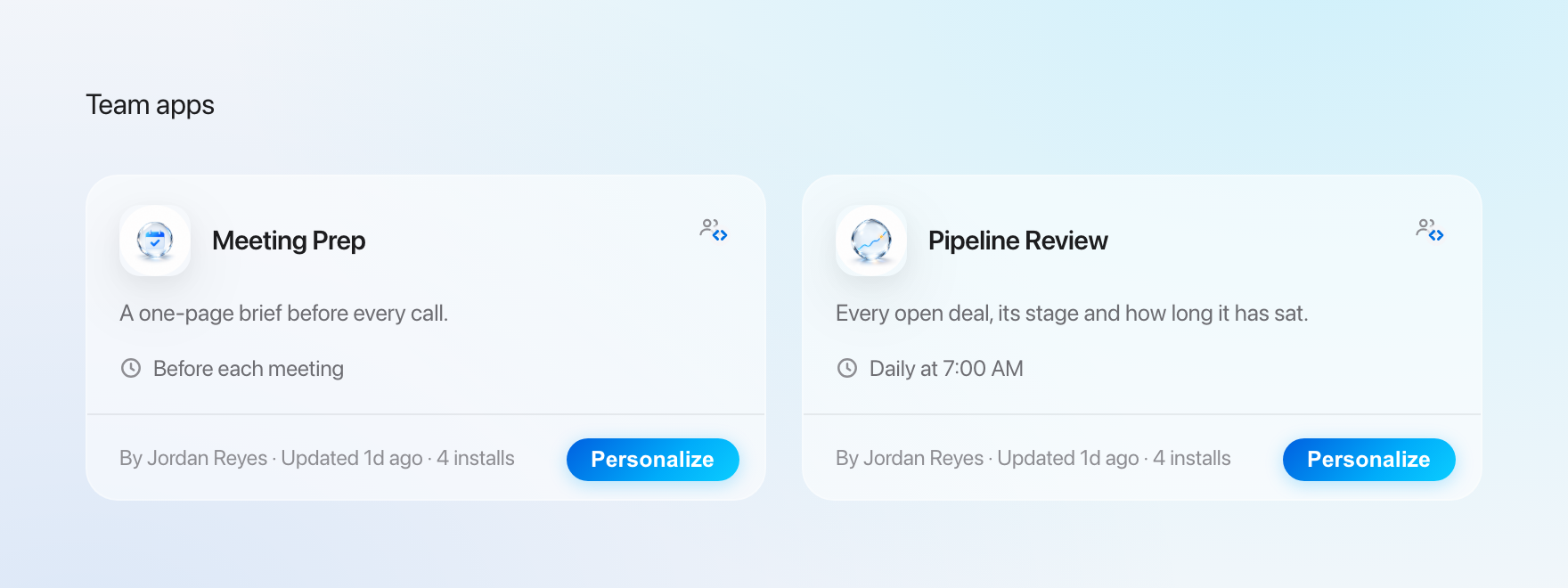
In Papr Work, the owner shares an app with the right people. Each teammate can install their own copy, change it with Pen, and send good changes back. The owner decides what goes into the app that everyone uses.
A copy for every teammate, linked to the original
Our first decision was to give every teammate a copy, not edit rights on one app. A copy is safe to change. If a change goes wrong, it goes wrong for one person.
But a plain duplicate loses its link to the original. So every copy remembers the app it came from. It also remembers the version it started from. That link makes the next two decisions possible.
A copy of a team app starts on the team's live data. Your changes to how the app looks and works stay in your copy. You can move your copy to its own data later.
The trade-off is more versions to keep current. We accepted that cost because the alternative was one fragile app or many lost ideas.
Changes go back as a proposal the owner accepts
Our second decision was about the way back. A teammate does not edit the owner's app. They send a proposal, like a pull request in software teams.
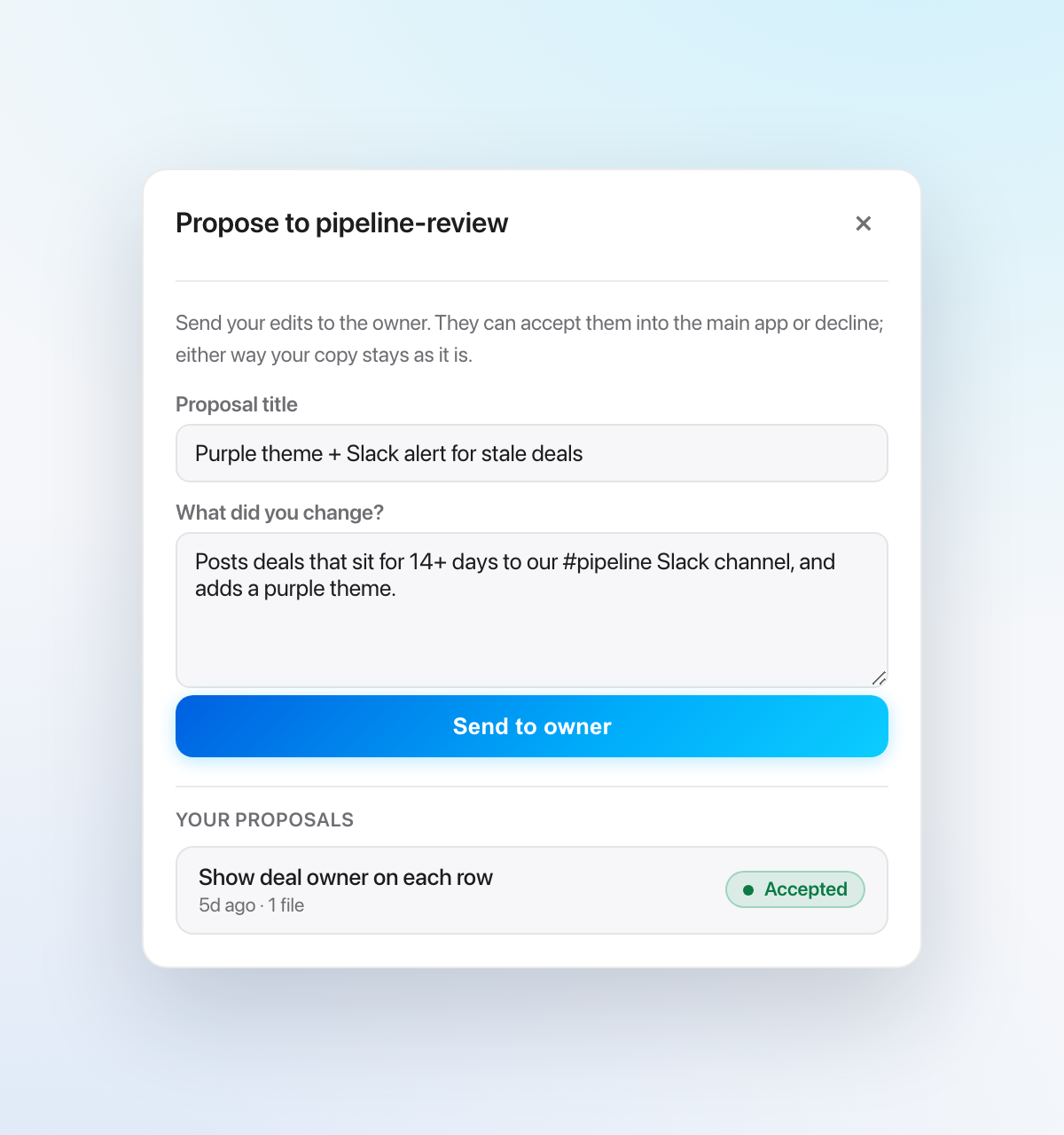
Each app keeps its own history, and one service is the only writer to it. So two people can never overwrite each other's work by accident. A proposal holds only the files that the teammate changed. It starts from the version that their copy came from, not from the owner's latest version.
A three-way merge then shows only the changes that overlap.
The owner sees each proposal with the files it changes. The owner can accept it, decline it, or ask Pen to explain it first.
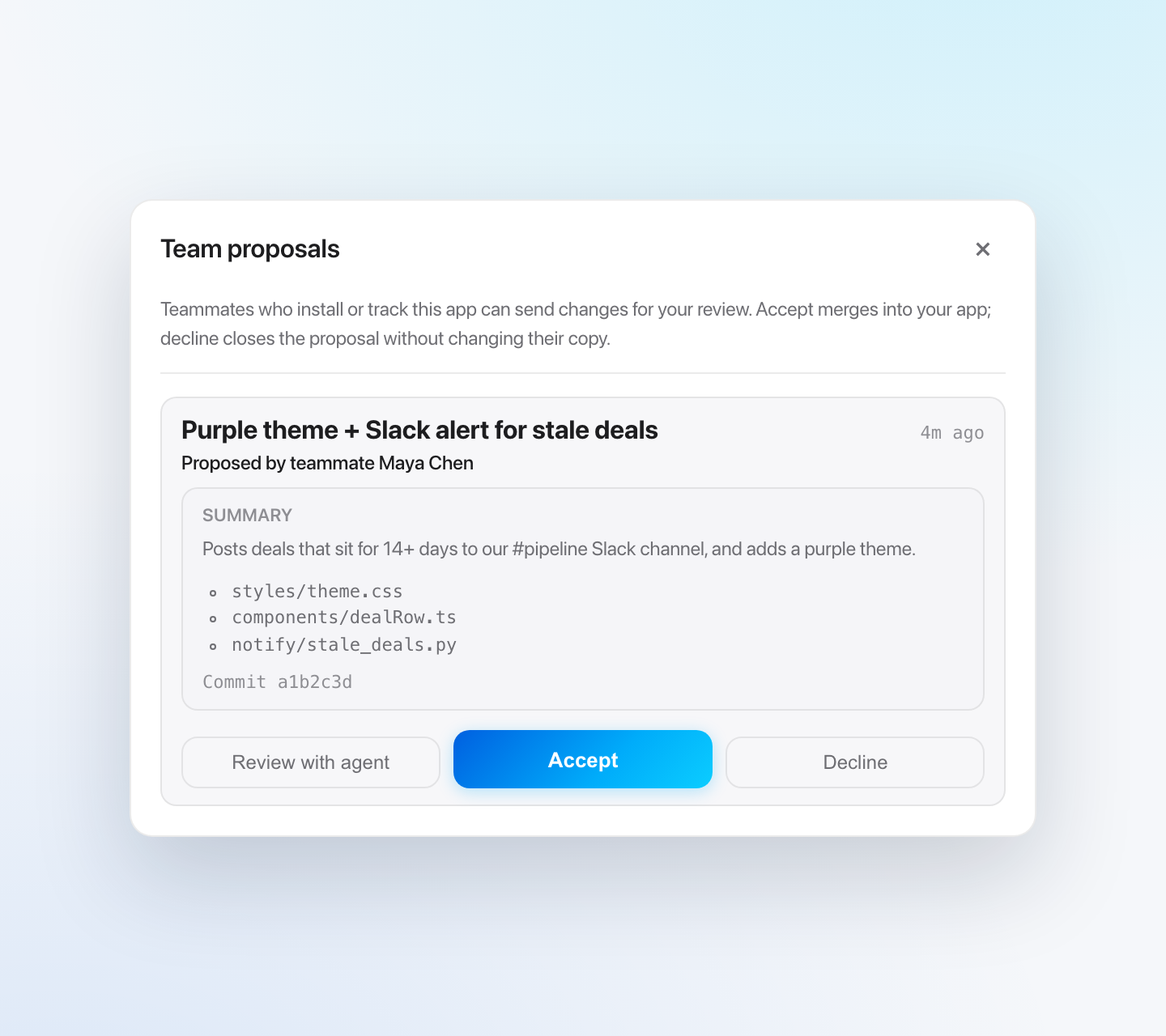
Speed is the trade-off. A change does not reach the team until the owner accepts it. We think one person who answers for the app is worth that wait.
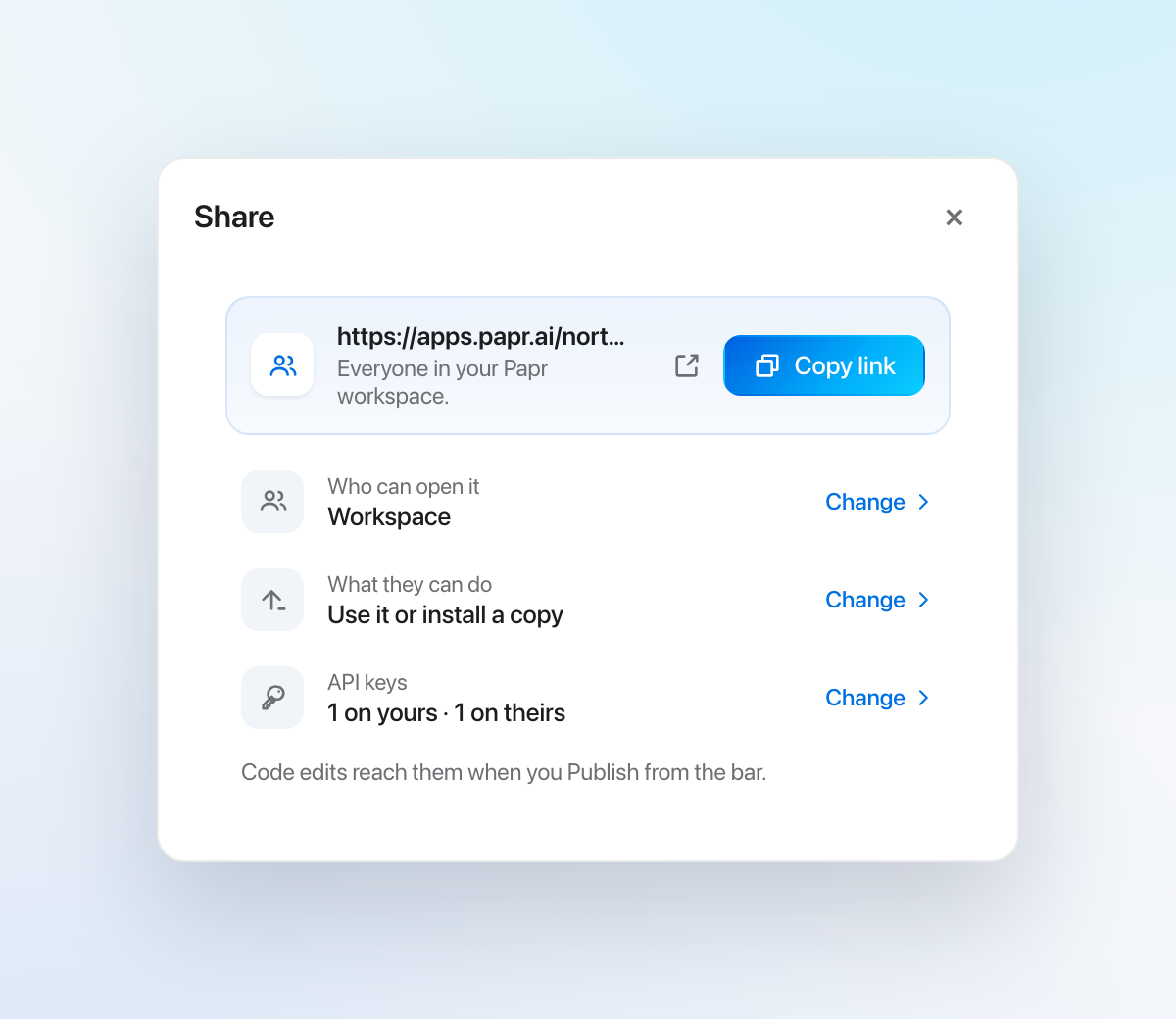
The Share sheet asks whose API keys the app uses
Our third decision was in design. We rebuilt the Share sheet around three questions, in the order people think about them. Who can open it, then What they can do, then Whose API keys it runs on.
The link comes first, because most people open the sheet to copy it. Each answer uses the same words everywhere in the product, from Only me to Community.
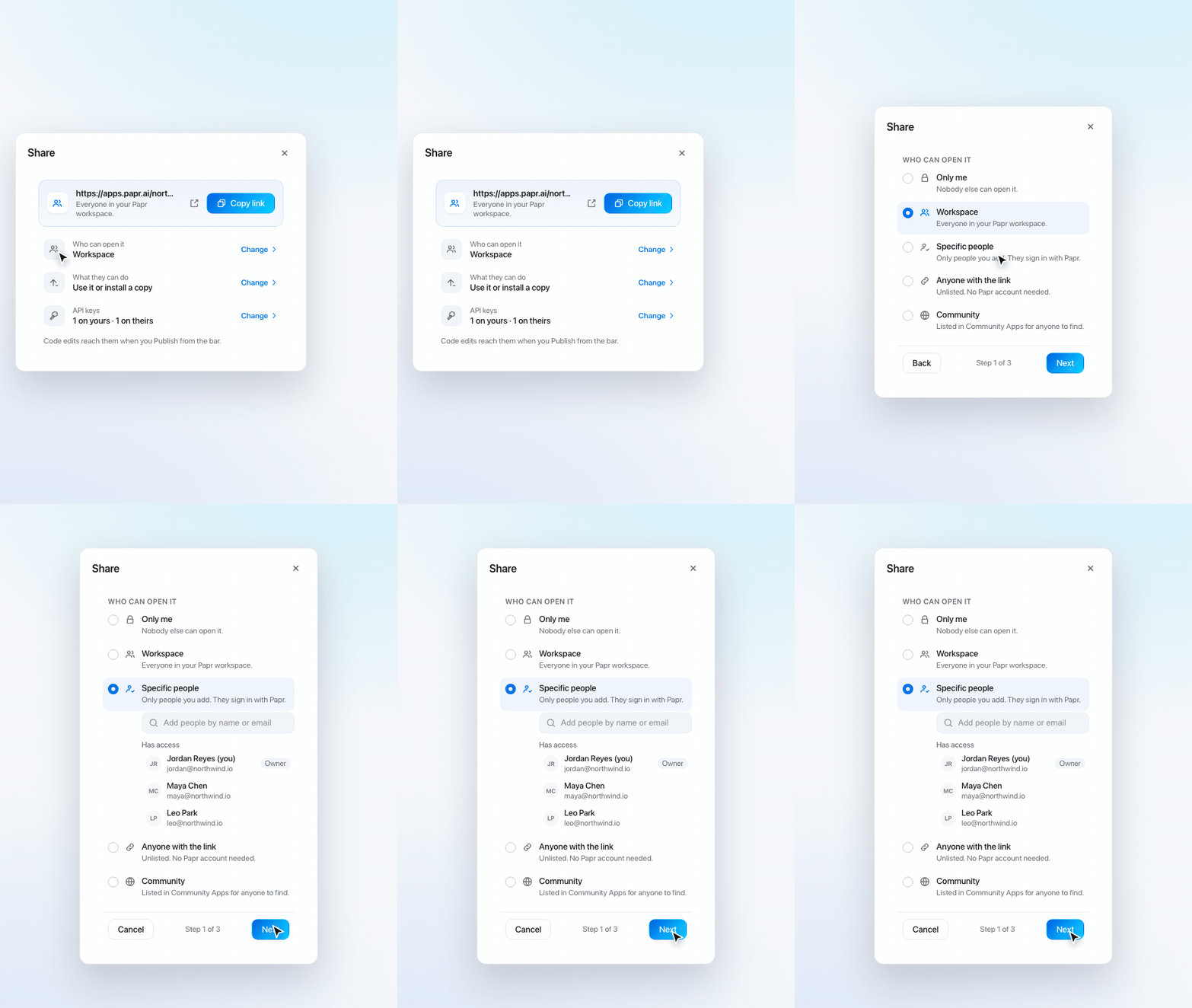
For each key, the owner picks Mine or each person's own key. If a key is set to Mine but the owner does not have it, a chip on the app bar shows it. The chip turns red when the app needs that key.
We also made the sheet careful in one direction only. A change that makes an app more private saves at once. A change that opens it to more people waits for one confirm. An empty Specific people list never saves, because it would open the app to the whole workspace.
The trade-off is one more choice each time you share. We think that is cheaper than a surprise invoice.
Get updates keeps your own edits
Our last decision was about the owner's new versions. When the owner improves the app, Get updates brings that version into your copy.
Papr Work combines the owner's changes with yours when they touch different lines. You can preview what will come in before you apply it.
Sometimes you and the owner change the same lines. Papr Work then holds those files and asks you. For each file you keep yours, take theirs, or ask Pen to combine them.
The trade-off is that you sometimes have to decide. We chose a question over a silent overwrite, because a silent overwrite loses work that you cannot see. Files that define the shape of the app's data are the strict case. For those, you pick one version, and Pen does not combine them.
What you can do now
- Share a live app with the right people, and decide whose API keys it uses.
- Install your own copy of a team app and change it with Pen.
- Send a change back to the owner as a proposal, and follow its status.
- Bring the owner's new versions into your copy without losing your own edits.
What we learned
The hard part of collaboration was not the sharing. It was the way back. People were glad to change their own copy, but they wanted their best ideas to reach the team. Proposals and Get updates close that loop in both directions.
Collaboration is in Papr Work today.
Questions
Can teammates edit a shared app in Papr Work?
Yes. Each teammate gets their own linked copy to change, and sends changes back to the owner as a proposal.
Whose API keys does a shared app use?
The owner decides when sharing: the app can use the owner's keys or each teammate's own.
Will updates overwrite my changes?
No. Get updates brings in the owner's changes and keeps the edits you made to your copy.